How we build and release ConnectIQ
We use AI to help plan, build and check ConnectIQ. People agree the intended outcome, resolve important decisions and approve releases. Written plans, automated checks and independent review keep the work aligned with what we agreed.
This guide explains our approach and shows new team members how to start contributing.
How our development approach fits together
Four parts support the way we work:
Our technical foundation and why we chose it.
How each change moves from an idea through design, implementation, testing, release and learning.
The context, controls and reusable capabilities that help AI work reliably throughout the lifecycle.
The setup and coordination that let several developers and AI sessions work on the same product.
Every change follows the SDLC, using our technical foundation, supported by the AI Development System, in an environment where developers can work safely together.
New to the team? Start with the lifecycle, then set up your environment and follow the first-feature walkthrough. Use the detailed references when a task needs them.
Our technical foundation
ConnectIQ is one application, with clear boundaries between its business domains. We share infrastructure and interface components, while keeping each domain's responsibilities explicit.
The stack below supports that approach. The SDLC explains how we change it; the architecture defines the structural rules each change must follow.
One feature at a time
Start each feature with a written Build Plan, a dedicated building session, a feature branch and a pull request (PR). The plan records the outcome, the agreed approach, the boundaries and how the result will be checked.
Claude Code builds from the committed plan. Automated checks gather evidence, an independent reviewer compares the delivery with the plan, and a person checks that the feature works for its intended task.
Changes move through feature branch → staging → main. Staging combines the team's work for testing. A separate, human-approved pull request promotes staging to main for release.
For the stages and their completion conditions, read The lifecycle. For the practical steps, follow Build and deliver a feature.
The tools we use and why
We use a shared stack across the application so developers can work with the same conventions, services and deployment path.
| Role | Our approach | Why we use it |
|---|---|---|
| Application interface | React and TypeScript | Build reusable interfaces and check how code fits together. |
| Application structure | One deployable, separated internally by domain | Keep deployment straightforward while making responsibilities explicit. |
| Database and authentication | Supabase, using Postgres and Supabase Auth | Store relational business data, manage sign-in and enforce data-access rules. |
| Hosting | Vercel | Run the application and provide staging and release previews. |
| Background work | Postgres queues and a scheduled worker | Process work such as email and synchronization outside the immediate user request. |
| Resend | Deliver authentication and application email through one provider. | |
| Interface consistency | Shared design tokens and components | Keep new features consistent with the existing product. |
| AI implementation | Claude Code | Build and verify changes from the committed Build Plan. |
| Documentation | Static HTML on the existing server | Keep the team's reference material simple to maintain. |
The architecture and technical reference record the constraints that apply when using these tools.
Technical decisions and constraints
| Layer | Selected approach | Why / constraints |
|---|---|---|
| Database | Postgres (Supabase) with row-level security on every table | Multi-currency money, dated periods and forecast roll-ups all want a relational engine. RLS makes the permission model enforceable at the data layer rather than in the client. |
| Auth | Supabase Auth — email + password, Google OAuth, no anonymous sign-in | Roles live in plat_user_roles and are checked by a SECURITY DEFINER function. Never on the profile row. |
| Backend | Server functions in the app, not a separate service | One deployable, internally separated by domain prefix — the separation rules are in the architecture. |
| Cross-domain effects | Outbox — plat_domain_events, written in the same transaction as its cause, drained by a scheduled dispatcher | Binding in the architecture. M1 work, not a retrofit. |
| Frontend | React + TypeScript strict, file-based routing, query cache with loader-fetched routes | Forms on a schema validator shared with the server. Charts from one library, icons from one family. |
| Styling | Semantic tokens from style-kit/tokens.json. No raw palette classes in feature code | Enforced by lint rule, not by review discipline. |
| Builder | Claude Code, working inside a fixed folder structure | Since 10 September 2026 — ADR-13; the workflow is in Claude Code workflow. The structure exists before the builder is asked to build into it — see Guardrails. What this row said before is in Archive 1. |
| Hosting — app | Vercel — main as the sole Production deployment, serving connectiq.giant-pumpkin.com; staging as a standing Preview deployment | Closes the plan's open hosting question. Chosen for dev speed, staging previews and reduced devops surface. Staging's standing runtime is ADR-11. See Environments and branching. |
| Hosting — database | Managed Supabase, Pro plan | The project uses Pro. See database branching and environment costs. |
| Background work | Queue tables in Postgres, drained by a scheduled worker | Email sending, Airtable sync, the event dispatcher and nightly aggregates all use the same pattern. No second infrastructure component. |
| Resend — transactional only, templated with React Email, suppression list fed by webhook | First-party integration on all three sides of the stack. Covers both send paths from one account. See the email implementation reference. | |
| Docs site | Static HTML on the existing droplet, deployed from this repo | What you are reading. No build step, no framework, no dependency to keep current. |
ConnectIQ’s current project rules prohibit native binaries, child processes and long-lived TCP connections. Treat these as project constraints: Vercel’s Node.js runtime supports Node.js APIs, while its Edge runtime is more restricted. Before selecting PDF, image or spreadsheet libraries, check the target runtime, deployment limits and project rules.
Generated files and the Supabase client
These rules are in force today. Their origin is recorded in the Lovable archive.
- The application's browser client is
src/lib/supabase-client.ts, which resolves its target fromimport.meta.envwith aprocess.envfallback for the SSR path, and throws at boot if neither is set. Nothing else may import the generated client. scripts/check-generated-clients.tsfails the build if anything does; it is part ofcheck:architecture.- Generated files are inputs to their generator, not inputs to us. The application never depends on one; a check enforces it; and a generated file that has drifted is restored rather than argued with. An instruction in agent configuration is convenience; only a check that fails is enforcement.
- Before every merge,
supabase/config.tomland.env.exampleare checked by eye. A regeneration deletes lines nobody else touched, which git merges cleanly, so the usual mechanism that catches a gutted file cannot see it.
One email provider, two sending paths
ConnectIQ uses Resend for both authentication email and application email.
- Authentication email includes invitations, password resets and email confirmation. Supabase Auth sends these messages through Resend's SMTP service.
- Application email is queued by ConnectIQ and sent by a background worker through the Resend API.
Both use connectiq.giant-pumpkin.com as the sending domain. Each path needs its own configuration and verification.
The email reference covers setup, templates, delivery failures and provider limits. The open question DR-40 records which customer-facing sends are in scope.
Email implementation reference
Vercel has no email service. It is not a setting left unconfigured — the product does not exist. Vercel runs the functions; the sender is brought separately. That made this a decision rather than a default, and it is now taken: Resend.
Google positions SMTP relay for on-premise devices and Gmail SMTP for personal correspondence — application mail is explicitly not the use case. Past the 10,000-per-day and 100-recipients-per-transaction caps, it cannot do what the table above commits to: no suppression list, no unsubscribe handling, no bounce or complaint webhooks, no per-message delivery log. All of that would be built by hand against a service that does not report failures back.
The sharper reason is reputation. Application mail sent through Workspace shares domain reputation with the team's real correspondence. A run of bounced quote emails degrades deliverability for the humans, and there is account-suspension risk on top.
Why Resend specifically, for this stack
First-party on all three sidesthe deciding factor
Lovable ships a Resend integration, Resend ships a Lovable one, and Supabase lists it as a recommended provider. No other provider in the category has support from every tool in this chain.
Templates live in the repoReact Email
Templates are React components rather than markup in a vendor's editor. They sit under version control with everything else, and they can use the design system's semantic tokens instead of a second, drifting set of styles.
Covers both send pathsSMTP + API
SMTP credentials for Supabase Auth, an HTTP API for the queue worker. One account, one domain reputation, one place to look when something did not arrive.
Phase 1 costs nothing3,000/mo · 100/day
Invitations plus approval requests is dozens of messages a month. The binding number is the 100-a-day cap, not the monthly one — see the batch warning below. Paid is $20/month for 50,000.
Postmark enforces message-stream separation and vets every sender, so its shared IP pools carry transactional traffic only. Resend does not enforce that separation by default and also sells broadcast, so its shared pool can carry campaign traffic from other tenants.
But notice what that difference is about. It bites when you send marketing alongside transactional and the two compete for one reputation. ConnectIQ sends no marketing email — it is out of scope in both phases — and a quote emailed to a named contact who is expecting it is transactional by any definition. Postmark's principal advantage solves a problem this system does not have. The residual is other tenants on the shared pool: real, small, and not measurable in advance.
The genuine triggers to revisit are narrower than "we email customers": if ConnectIQ ever sends campaign email, if quote deliverability becomes a measured problem rather than a feared one, or if volume grows past a few thousand a month.
The two paths
These are genuinely separate systems and both have to be configured, which is easy to miss because only one of them is visible in the codebase.
| Supabase Auth | Application email | |
|---|---|---|
| Sends | Invitations, password resets, email confirmation | Quote approval requests, and the signed approve/reject links |
| Configured in | Supabase custom SMTP settings | plat_email_queue, drained by the scheduled worker |
| Transport | Resend SMTP credentials | Resend HTTP API — no long-lived SMTP connection from a serverless function |
| Templates | Supabase email templates | React Email components in the repo |
| Built in | M1 | M1 infrastructure, first real send in M5 |
Supabase's built-in sender is capped at two messages per hour, project-wide, and is explicitly not for production use. M1's exit criterion is "an admin can invite a colleague, approve them, and see the empty app" — on the built-in sender that fails while approving the third person. Configure Resend SMTP in Supabase before the access gate is tested, not after.
Even on custom SMTP, auth email defaults to 30 new users per hour. Fine here, but it is a setting, not a law — know where it is before someone concludes invitations are broken.
The sending domain
The application runs at connectiq.giant-pumpkin.com, and that is also the sending domain. This is worth stating as a deliberate choice rather than a convenience.
SPF and DKIM are per-domain. Because connectiq.giant-pumpkin.com is a subdomain, Resend's records sit there and the Google Workspace records on giant-pumpkin.com are never touched. Root DMARC still passes on relaxed alignment. Application mail cannot damage the deliverability of the team's real correspondence, because it is not sharing its authentication.
| Record | Where | Purpose |
|---|---|---|
| DKIM | connectiq.giant-pumpkin.com | Signs outbound mail so recipients can verify it was authorised. |
| SPF (TXT) | send.connectiq.giant-pumpkin.com | Lists the addresses permitted to send. Resend's default is a send. subdomain. |
| MX | send.connectiq.giant-pumpkin.com | Return path. This is how bounce and complaint feedback reaches us at all — without it the suppression list never fills. |
| DMARC (TXT) | _dmarc.connectiq.giant-pumpkin.com | Policy for what a recipient does when authentication fails. Start at p=none and tighten once real traffic is observed. |
From address: notifications@connectiq.giant-pumpkin.com. Verification usually completes within ten minutes; Resend keeps re-checking for 72 hours before marking the domain failed.
Until the domain is verified, Resend will only deliver to your own address. "An admin can invite a colleague, approve them" cannot be demonstrated before then. It is a DNS change with propagation time rather than a code change, so it wants starting on the first day of M1 — not on the afternoon the invitation flow is finished.
Secrets
Lovable's own guidance is that it does not securely handle API keys on its own, and that secrets should be stored through the Supabase integration. That happens to agree with the rule already in force: integration credentials live in the platform secret store, rotated on staff change, never committed.
Bounces, complaints and the suppression list
plat_suppressed_emails is not decoration. Resend posts bounce and complaint events to a webhook, and that endpoint writes the suppression rows — which is the only thing that stops the system re-sending to an address that has already hard-bounced and taking the domain reputation down with it.
That webhook is an unauthenticated public endpoint, so the standing rule applies without exception: verify the signature before any write. It also belongs in int_webhook_events — inbound-external — and never in plat_domain_events, which is internal.
The free tier caps hard at 100 messages per day — it does not spill into an overage charge, it stops. Ordinary use never approaches it, but one flow can: the renewal step generates a quote per company from a selected set of subscriptions, so acting on thirty accounts at once and emailing each spends a third of the day's allowance in a single click.
Two consequences. The queue worker must handle a provider rejection as a retryable state, not a dropped message — that is what plat_email_queue is for, and a daily cap is exactly the failure it should absorb invisibly. And if this becomes routine, the $20 tier removes the cap; it is not a reason to reconsider the provider.
Two sends: user invitations and quote approval requests. Both go to staff. Customer-facing sending — the quote itself — is governed by DR-40, because the delivery plan currently says three things that cannot all be true at once.
Either way the provider is settled. Resend delivers to external recipients on any tier once the domain is verified; DR-40 changes the operational work around sending, not who sends.
How a change moves from idea to production
Every change follows six stages: Plan, Design, Build, Test, Deploy and Maintain. Each stage answers a different question and leaves a result the next stage can use.
Our process grew from building ConnectIQ and was refined using Anthropic's AI-native SDLC playbook (see Sources and history). We share its emphasis on written artifacts, checks throughout the work and human accountability for decisions requiring judgement.
ConnectIQ applies those principles through a committed Build Plan, declared file scope, automated checks, independent delivery review and human release approval. The Build Plan spans several stages; we do not require a separate document for each one.
Our implementation is still evolving. Planning-to-building handoffs are currently manual, and the fuller Maintain process remains future work.
One lifecycle, six stages
Plan — What are we changing, and why?
Describe the intended outcome, why it matters, what is outside the scope and how we will recognize success.
Ready to continue when: the outcome and its boundaries are clear enough to design a solution.
Design — How should the solution work?
Agree the behaviour and structure of the solution within the architecture. Record important choices, constraints and whether recovery planning is required.
Ready to continue when: the solution is agreed and the recovery decision is explicit.
Build — How do we implement the agreed solution?
Claude Code works from the committed Build Plan on an isolated feature branch. Declare the files the change will touch and acquire any required protected-file ownership before editing.
Record discoveries as the work progresses. If a discovery changes the intended outcome or design, stop for human agreement before continuing.
Ready to continue when: the implementation is within the agreed scope and ready to verify.
Test — Does the change work, and is it complete?
Gather the required automated checks, database evidence, browser checks and human walkthrough results. Rehearse recovery where the design requires it. An independent reviewer then compares the implementation and evidence with the Build Plan.
After the feature merges to staging, a person checks the combined application there.
Ready to continue when: the required evidence is present, independent review has no blocker, and the combined application has been exercised on staging.
Deploy — Is this version approved for release?
A person approves the staging-to-main pull request and checks any required staging recovery rehearsal. After the merge, Vercel deploys main and the promotion tripwire checks the Git transition.
Complete when: the approved promotion has merged, the promotion check has passed and the application has deployed.
Human approval and recovery-rehearsal review remain workflow requirements; CI and GitHub do not enforce them. The promotion tripwire detects an invalid transition after it happens.
Maintain — What do we learn from the running product?
Account for delivery, record incidents and useful lessons, and identify changes the product needs. A required change starts a new Build Plan and returns to Plan.
Result: production learning becomes input to the next change. A fuller Maintain process remains future work.
The Build Plan connects the stages
The Build Plan is the written agreement used across the lifecycle. Its outcome and scope guide Plan; its solution and recovery decisions guide Design; its execution steps guide Build; and its definition of done guides Test.
Its sections support several stages rather than matching them one to one. Delivery Evidence and review findings show how the completed work compares with that agreement.
Who decides?
People agree material decisions, confirm business correctness and approve production releases. AI helps prepare the plan, implement the change and gather evidence. The builder does not approve its own delivery.
If documents give conflicting instructions
A conflict means two sources require different behaviour for the same change. For example, a screen design might imply a direct read of another domain’s table, while the architecture requires a call through that domain’s public interface.
Use model → architecture → plan → screens as the order of authority. The model defines business concepts and relationships; the architecture defines structural rules and domain boundaries; the delivery plan defines scope and sequence; screens express the agreed behaviour. This strategy explains how we develop, check and release the work. A screen or Build Plan cannot silently override the model or architecture.
When you find a conflict, pause the affected work and identify the two instructions and their sources. Bring the conflict to the person responsible for the affected decision. Correct the lower-level document to follow the governing rule, or obtain agreement to change that rule and its source document first. Record any material decision in Decisions and open questions, update the affected Build Plan and documents, then resume. Work that does not depend on the unresolved decision can continue.
Agree the outcome and the solution before building
Plan defines what must become true: the problem, intended outcome, scope and conditions for success. Design defines how to make it true: the behaviour, boundaries, constraints and important choices.
Both live in one Build Plan. Claude helps prepare it; a person agrees material decisions. The builder uses it to implement the change, and the reviewer uses it to check the result.
Inside a Build Plan
One document connects the intended outcome, the agreed solution and the work needed to prove it.
Build Plan One unit of work
-
Intent What outcome, and why?
Problem or desired outcome · Why it matters
-
Design What governs the solution?
Evidence · Agreed choices · Constraints · Out of scope · Dependencies and uncertainty
Recovery Inside Design
Yes or No, with the reason and any required detail
-
Execution How will we build and prove it?
Changes in order · What could break and safeguards · Definition of done · Task-specific discipline
-
Changes during Build What changed, and why?
What changed · Why · Who agreed, where required
Decision register Agreed addition · migration pending
Significant plan decisions and their reasoning · Open questions, owners and blocked work
Outside the plan
- Strategy HistoryEnduring architecture and development decisions. The Decision register references them when they affect the build.
- PR Delivery Evidence and independent reviewProof of what was delivered. Published on the pull request, not written in the plan.
Recovery belongs inside Design. State whether it is required and why. Where it is required, describe the trigger, application recovery, database or data recovery, proof of recovery and rehearsal requirements. Any recovery proof required before merge must also be an item in the Definition of done.
Where plans live
Save each Build Plan in the repository its work changes, and label it by that scope. A docs-only change then never needs a connectiq-system branch, pull request or Supabase preview just to hold its plan. ADR-20 records the rule.
| The work changes | Label | The plan lives in | Branch cut from | Pull request into |
|---|---|---|---|---|
connectiq-docs only | Docs Plan | connectiq-docs/plans/NN-name.md | master | master |
connectiq-system only | System Plan | connectiq-system/docs/plans/NN-name.md | staging | staging |
| Both repositories | SystemDoc Plan | connectiq-system/docs/plans/NN-name.md | staging | staging, plus a docs pull request into master |
Work that touches both repositories keeps its plan in connectiq-system, because that side carries the migration, preview and Delivery Evidence checks. Each plan identifies the repositories affected, the phase and build section, and the decisions it delivers. A phase sets the wider delivery scope; a Build Plan covers one unit of work within it.
- One number sequence across both repositories. The next free number is the highest number in either
plans/folder or in either repository’s open pull request titles, plus one, so “Plan 48” names exactly one file. - The scope label goes in front of the number:
Docs Plan 48,System Plan 48orSystemDoc Plan 48. Put it in the plan’s title line, the pull request title and register card text. The number alone identifies the plan; the label tells the reader where it lives. - Every branch for a plan carries its number:
claude/<operator>-plan-NN-<short-name>, in either repository. A plan with two or more branches sharesplan-NNand differs in<short-name>. - A Docs Plan’s pull request body starts with
Build Plan: plans/NN-name.md, and the plan is the branch’s first commit. A docs-only pull request gets no Delivery Evidence comment; review it from the plan, the diff and the register check.
Commit the plan and include its path in the implementation handoff.
Decision register: the choices behind the plan
The agreed home for a plan-specific decision is the Decision register inside its owning Build Plan, shown above. It records significant choices about that build’s scope, behaviour, design or dependencies, so future work can understand both the choice and its reason.
Each record includes the decision, its reasoning, its status, who agreed it, when and its source. Identify the affected phase, domain and milestone where relevant. Keep unanswered questions open, with an owner and the work they block.
Enduring decisions about how we structure, develop, check or release ConnectIQ belong in Strategy History. When an enduring rule affects a build, the plan references that record. Each decision has one authoritative home.
Routine implementation adjustments belong in Changes during Build. Changes to Intent or Design require human agreement before implementation continues.
Current recording workflow
The move to plan-owned decision registers is agreed, but updating the template, moving existing records and adapting collection and review remain separate work. Until that migration is complete, existing decision records remain authoritative in their current locations. Plans reference those records using the existing workflow.
Ready to build
Intent, Design and Execution must all be present. The outcome and boundaries are clear, material choices are agreed, the recovery decision is explicit, and the Definition of done states how delivery will be checked.
Use write-build-plan to prepare the document. See Planning, building and review for the handoff and Build for keeping the plan current during implementation.
Plan and Design mechanisms
Plan
- The Build Plan’s Intent: the outcome and why it matters.
- Its Out of scope list: what this change will not do.
- The outcomes listed under its Definition of done.
- The Decision register and decision records capture the decisions the work delivers.
write-build-planproduces the file.
Ready to continue when the outcome and its boundaries are explicit enough to design against. See the Build Plan workflow · Skills · Decision records.
Design
- The Build Plan’s Design: evidence, decisions already taken, constraints and choices to state before code.
- Recovery, decided here:
Recovery required: YesorNo, with the reason. - The architecture rules for structural decisions.
Ready to continue with an agreed solution and an explicit recovery decision. See Architecture · Controls.
Build within the agreed scope
Claude Code implements the committed Build Plan on a feature branch, using an isolated working tree and the appropriate development database.
Declare the files the change will touch before editing. Keep the declaration and plan current as the work develops. If a discovery changes the intended outcome or design, stop and obtain human agreement before continuing.
Build and deliver a feature gives the practical sequence. Environments and branching explains where the work runs. Controls explains the checks that act during implementation.
Keep the plan current
When an agreed change affects an active build, update the relevant part of the Build Plan so it describes the current agreement. Preserve the reason for significant changes through the existing decision-recording workflow.
Decisions can arise during any lifecycle stage. Record them when agreed.
If a discovery changes an enduring architecture or development rule, obtain agreement and update the governing guidance. Strategy History provides the reference for strategy-based decisions.
The agreed next step is to keep plan-based decisions inside their owning plans. Until the template and tooling migration is complete, retain the existing decision records and references.
An agreed decision is not proof of delivery. Continue recording implementation results through Delivery Evidence and the existing milestone accounting.
Follow the domain boundaries
ConnectIQ uses a virtual microservice architecture: one deployable application and one shared database, with business domains treated as separate services. Each domain owns its tables and the rules for working with its data. Keeping those boundaries explicit makes it easier to separate domains into independently deployed services later; that separation would still require engineering work.
Sharing a database makes cross-domain queries technically possible. It does not make them an allowed way to build a feature. Never read, write or join another domain’s raw tables from your feature, and never reach into another domain’s private implementation. Put behaviour in the domain that owns it and use that domain’s public interface when another domain needs it.
For example, a Jobs feature that needs a customer name calls Customer & Location’s public interface. It does not query or join the customer table itself. The owning domain reads its own data and returns the agreed result.
Find or request the interface you need
Start with the architecture’s interaction rules. In the application, each domain’s public entry point is src/domains/<domain>/index.ts. Read its exports and the referenced types and implementation to understand what is available. Other domains import that public entry point, not files beneath its internal folders. A domain without a public entry point does not yet expose an interface for other domains to use.
An API here means an agreed public interface; it can be an in-process service call today and does not have to be an HTTP endpoint. For example, Customer & Location exposes selected company and contact reads through src/domains/customer-location/index.ts.
If the required operation is missing:
- Record the dependency in the Build Plan and raise a request for the owning domain. Describe the operation, required inputs and outputs, access rules and expected failure behaviour.
- Agree the contract and record material choices through the existing decision-recording workflow (Decision register). Assign the work to the owning domain, or prepare a separate Build Plan, branch and pull request to add its public interface with the responsible person’s agreement.
- Implement and verify that interface in the owning domain, then integrate the consuming feature through it. Keep dependent work blocked until the interface is available; do not use a direct table query as a temporary shortcut.
Cross-domain effects follow the architecture’s event rules. Reporting uses approved rpt_* views. Neither route permits a feature to bypass domain ownership or write another domain’s tables.
Coordinate changes to protected shared files
Separate branches let developers work independently, but some files affect the whole application. Two branches can still make conflicting changes to those files.
Shared Vault records which open pull request has temporary editing ownership of each protected file. Declare the files your pull request needs, then acquire ownership with human approval before editing. Ownership ends when the pull request merges or closes.
Different pull requests can own different protected files at the same time.
See Shared files: lock for a pull request, release on merge for the protected-file list and practical steps.
CLAUDE.md and style-kit/DESIGN.md. PR #121 can work on style-kit/tokens.json at the same time. Another PR cannot acquire style-kit/DESIGN.md while PR #120 owns it.Build mechanisms and enforcement rules
Mechanisms
- Branch cut from
stagingand pull request opened first (cut-branch-open-pr);intended-filesdeclared before code. CLAUDE.mdand the path-triggered rules tell the builder what applies.- PreToolUse hooks and git hooks stop known bad actions. Shared Vault ownership protects shared files.
- The Build Plan’s Execution: the changes, in order, and the discipline.
- Changes during Build logs every discovery. Execution discovery: revise and log. Design or Intent discovery: stop and state it until a person agrees.
Ready to continue when the implementation exists inside the declared scope and is ready to prove. See Shared files: lock for a pull request, release on merge · Hooks · Working alongside others · Build and deliver a feature. The decision behind Shared Vault ownership is ADR-15.
Rules for guards and controls
These rules apply to every guard in the AI Development System. Their origin is recorded in Origin of the AI Development System.
- Enforcement lives in the repository; convenience lives in the agent. The thing that decides pass or fail lives in the repository as a runnable script. Agent configuration may invoke it; it may never be it. A check that lives only in
.claude/disappears silently when the tool changes, cannot run in CI and cannot be tested. - The test for any guard: if this repository is opened in a different tool tomorrow, does it still fire? If not, the logic is in the wrong file. The cost of getting it right is one extra file: a script, plus a thin wrapper that calls it.
- No overrides. A guard carries no bypass flag or override variable. Guards such as
assertDisposableTargetandcheck-dev-targetfail closed: approving a target means naming that exact ref. - Route verification by kind. Grep for facts, a graph for relationships, an agent for judgement. A code knowledge graph is a cache, so re-indexing belongs inside the review skill that uses it, never in anyone’s memory.
- One rule, one home. When a rule is written in several documents, changing it means finding every copy. Keep the rule in one file and have the others link to it.
One path from development to production
One application repository, a branch per feature, and three environments: development, staging and production. Git branches isolate code; local and preview databases isolate development data. The architecture defines domain boundaries; this section defines where changes are built, checked and released.
| Environment | Code and runtime | Database and data |
|---|---|---|
| Development | Feature branch cut from staging; local dev server. | Local Supabase for normal builds; the PR’s preview for verification or a second session on the same machine. Synthetic data from seed.sql; previews are disposable. |
| Staging | staging; standing Vercel Preview deployment for combined testing and feedback. | Persistent Supabase staging branch. Production restore after cutover; scrubbed import data during the build. Refreshed deliberately, not continuously synced. |
| Production | main; Vercel Production, deployed after an approved staging-to-main PR. | Production Supabase project, live business data and backups. |
Working on a feature
Summary. Step-by-step branch and worktree instructions are in Working alongside others.
- Give each independent writer its own branch and checkout. On one machine, use separate Git worktrees. Name branches
<tool>/<operator>-<short-name>. Keep them short and scoped to one feature; share only when deliberately pairing. - Open the pull request when the branch is created. Confirm its Supabase preview exists before using it. A branch-limit warning or a skipped check means the PR may have no preview.
- Build locally by default. Local Supabase supports one session per machine; a second session uses its own PR preview. Resolve and check the database target before running migrations or verification. The application’s
CLAUDE.mdowns these environment rules. - Commit database changes as numbered SQL migrations. Create each table’s RLS policies in the same migration. Run the required tests and CI checks; schema changes never originate in the Supabase console.
- Merge feature → staging → main through two pull requests. A person exercises the combined application before approving release. Fix failures on a feature branch. Never push directly to
stagingormain. - Clean up after merge. Delete unused feature branches and previews. Application rollback can redeploy a previous commit; database changes need their own recovery plan. Each new Build Plan states
Recovery required: YesorNo, and any recovery proof required before merge is checked in the pull request’s preview.
Preview databases and staging data
Supabase previews start without production data. Keep seed.sql synthetic, repeatable and complete enough to exercise the feature; automatic seeding runs when the preview is created. Recreate a disposable preview when it needs a fresh seed. If the concurrent-branch limit prevents creation, free an unused slot and push again, then verify the preview exists.
Staging’s unmodified production restore is permitted only while everyone with staging access already has access to that production data. Scrub or subset it before granting access to anyone who does not. Customer data stays out of committed seeds, and sharing records or logs with an assistant is a separate disclosure.
Hosting, deployment and the staging-to-production promotion are in Deploy.
Prove the change works and delivers what we agreed
Different checks reveal different failures. Automated tests check repeatable behaviour, real-system checks exercise the database and browser, and a person judges whether the result makes sense for the business.
Gather the evidence required by the Build Plan, then use independent delivery review to compare the implementation with the plan. After merging to staging, a person checks the combined application before release.
One feature, five questions
Consider an address field that uses an external lookup service.
| Question | What the check establishes |
|---|---|
| 1. Is the code valid? | TypeScript checks that the address data has the expected shape. |
| 2. Did we follow our rules? | Lint and architecture checks inspect domain boundaries, design tokens and database rules. |
| 3. Does the logic behave? | Controlled tests supply a known address response and check that the application puts its values in the expected fields. |
| 4. Does it work in reality? | Database checks exercise real permissions and behaviour. A real browser checks that the lookup request succeeds and the application handles it correctly. |
| 5. Is it right for the business? | A person may notice that the value shown as City is actually a province, even though the technical checks passed. |
Each layer answers a different question. Use the checks relevant to the change, and do not treat a passing result at one layer as proof of the others.
Correctness and completeness
A feature can work correctly and still omit something the plan promised. Independent delivery review checks the plan's named capabilities against the implementation and its evidence. Both correctness and completeness must be assessed before the delivery is accepted.
Write tests that can expose the failure
A useful test fails when the intended behaviour is missing or wrong. Check the outcome that matters, including refused operations where relevant, rather than only checking that a page loads or a request returns.
Testing reference: mechanisms, acceptance criteria and detailed checks
Test mechanisms and order
- CI on the pull request: architecture checks, typecheck, the test suite and build. CI then writes the Delivery Evidence comment.
- The migration reset gate, when migrations change. The builder reports the result; CI does not run it.
- The evidence harness against the PR’s preview, the browser check, and a person’s walkthrough.
- Preview recovery rehearsal, when Design requires it. Not enforced by CI or GitHub.
- Then independent
review-deliveryjudges the Definition of done against the branch and the evidence. - Merge to
stagingwith a merge commit, then human QA of the combined application on staging.
Every required item of evidence exists, the independent review found no blocker, the change is on staging and a person has exercised it there. CI gathers facts; a person or the planning session judges. See Skills · Build and deliver a feature.
When a milestone is done
The delivery plan defines what each milestone delivers. Every milestone must also meet these shared acceptance criteria:
- Code and architecture checks pass: strict types without escape hatches, RLS policies in each new table’s migration, semantic design tokens and valid domain boundaries.
- Affected behaviour is verified: the coverage below passes, with permissions checked against the database. The earlier generated browser suite’s ownership remains reopened by ADR-13.
- The interface is usable: keyboard access, visible focus, status conveyed beyond colour, and deliberate empty, loading and error states.
- A real user of the surface has seen a demo and confirmed that it works for their task. Passing automated checks alone does not make a milestone complete.
The checks become slower and closer to reality as they move down the stack. The cheap checks can run constantly. The expensive ones belong closer to completion and merge.
A test that would still pass with the feature missing is not a useful test.
The assertion must make the wrong implementation fail. A pagination test, for example, does not merely check that rows appear sorted. It asks for page one, descending, at page size three, and expects a row that could only have arrived if sorting happened in the database before pagination.
Where checks run
Run automated checks before the human walkthrough. CI repeats the repository checks from a clean checkout; deployed-app verification checks the build that will actually ship.
| Stage | Checks | Environment |
|---|---|---|
| Developer machine | bun run test and bun run check:architecture; build before the walkthrough. Run the database evidence harness for affected behaviour, then exercise the feature in a real browser, or run bun run test:e2e when the plan asks. | Local Supabase for development; the branch’s disposable preview for verification. Local tests also catch operating-system differences. |
| Pull-request CI | Architecture checks, typecheck, tests and build from a clean checkout. Results provide the automated evidence for merge. | CI on Linux. Repository-only checks need no database; database verification uses the branch preview. |
| Deployed application | Human QA of the combined application on staging and the release preview, including rendering, network requests and business behaviour, and any required staging recovery rehearsal. | Vercel with the staging database before promotion to production. |
Verify in the local application or Vercel, never Lovable’s hosted preview. The development-target guard refuses production and persistent staging targets. When practical, create walkthrough fixtures through the forms so creation and validation paths are exercised too.
What needs explicit coverage
Apply these checks where the change affects the behaviour. The team owns the expected results and reviews the evidence, including tests written by an assistant.
- Money calculations: totals, discounts, VAT inclusive and exclusive, term multiplication and currency conversion.
- Commercial quantities: licence count × store count and the month-by-month series, checked against ten historical deals.
- Permissions: allowed and refused operations for each role, verified against the real database.
- Imports: mapping fixtures that include malformed records found during profiling.
- Quote approvals: approval history stays attached to the version that was approved.
- Sync and events: processing the same payload twice produces no duplicate effect.
- Application behaviour: component and page interactions, server functions and a real-browser walkthrough of the affected flow.
Use controlled tests for calculations and logic, real-system checks for permissions and integrations, and human review for business correctness. Where checks run records the execution stages.
Earlier test ownership decision — ADR-09 and ADR-13
ADR-09 assigned browser, frontend and backend tests to Lovable, with team-written tests for business invariants. It treated only the latter as independently blocking a merge. ADR-13 reopened that arrangement when Claude Code became the builder: the former generated suite must be maintained, deliberately narrowed or dropped. ADR-17 answered that browser-test question by narrowing the suite deliberately: browser tests are committed Playwright tests, run on demand and not in CI, and real-browser hand checks stay. See the decision records.
1 · Is the code valid?
TypeScriptBefore running the feature, check whether the pieces of code can legally fit together.
- A function expecting a company cannot be handed a location.
- A value that might be missing cannot be treated as though it always exists.
- A component cannot be given properties it does not accept.
TypeScript catches these mistakes while the code is being written, before a browser or test needs to run.
But TypeScript knows shapes, not meaning. If both city and province are strings, this is perfectly valid code:
city = result.provincePerfectly typed code can still be perfectly wrong.
Question answered Can this code fit together safely?
What remains unknown Whether it does the right thing.
2 · Did we follow our rules?
ESLint · custom rules · architecture checksCode can work and still damage the architecture. ConnectIQ therefore tests rules about how the system is built, independently of whether the feature behaves correctly.
The custom lint rules enforce boundaries inside the application. A domain may be reached from another domain only through its declared public surface. Raw colours and spacing values are refused where the design system provides a token.
The architecture checks enforce larger invariants about database rules, seed credentials, generated clients, development sign-in and the shared data table. They run together as bun run check:architecture. Typecheck and the suite are not part of it and stay separate steps, because questions 1 and 3 are different questions. Each check, its source file and its trigger are listed in the Guards and checks inventory.
A related guard sits outside the suite entirely: the command-target hook, which refuses a command naming the production or staging ref before it runs. It is an AI Development System guard rather than a test — it protects the environment, and says nothing about the change.
Most of these checks exist because the corresponding mistake has already happened once. They turn "developers should remember not to do this" into "the repository refuses to accept this."
Question answered Did we build it according to ConnectIQ's rules?
What remains unknown Whether the feature actually works.
Where this meets the AI Development System controls Each of these is a check — the machine-decidable half of an invariant. What makes it binding is the trigger: the same script run by a person proves the same thing and enforces nothing. CI now runs check:architecture in full on every pull request to staging and to main.
3 · Does the logic behave?
Vitest · jsdom · Testing LibraryThese three names describe one testing system rather than three independent layers.
- Vitest runs the tests. It finds the test files, executes them and reports what passed or failed.
- jsdom gives those tests a browser-shaped environment. React can create pages, forms, buttons and text in memory without opening Chrome or drawing pixels to a screen.
- Testing Library drives that fake page the way a person would. A test asks for the textbox labelled
City, types into it and clicks the button labelledSave, rather than reaching into React's internal implementation.
Together they answer questions such as:
- Given this company and these permissions, are the correct rows shown?
- When Save is clicked, is the correct update requested?
- When the request fails, does the error state appear?
- Is an action disabled when the user is not allowed to perform it?
This is why hundreds of tests can finish in seconds. They are not hundreds of complete browser walkthroughs. Most are small controlled scenarios running without a rendered browser and often with external systems replaced by known test responses.
That speed comes from simulation, and simulation creates the boundary of what these tests can prove. If the test says location API → Bangkok, it can prove that ConnectIQ puts Bangkok into the expected field. It cannot prove that the real location API works. It also cannot reliably tell whether the field is hidden behind another panel, below the fold, incorrectly styled, or otherwise unusable on a real screen.
One operational detail matters here: the configured project suite is run with bun run test. bun test invokes Bun's own test runner and does not represent the same configured suite.
Question answered Given controlled inputs, does the application logic produce the expected behaviour?
What remains unknown Whether the assembled system works against reality.
4 · Does it work in reality?
Evidence harnesses · real browserSimulation stops here. There are two different realities to verify: the database and the running application.
Ask the real database
The evidence harness signs in as an ordinary user against a disposable copy of the real database and attempts operations that should succeed or fail.
If an address marked verified is not allowed to carry an override reason, the harness does not merely check that the application avoids sending that combination. It sends it and asks the database itself to refuse it. Then it reads the row back and proves that it did not change.
Positive and negative cases are paired where necessary. If editing a system-maintained column must fail, an equivalent edit to an ordinary column must succeed — otherwise a database that simply refused every write could appear secure while actually being broken.
The ordinary user is important. An administrator can bypass protections, so an administrator proving that an operation succeeds or fails says little about what the application user is actually allowed to do.
Ask the real browser
A developer or assistant then opens the running application in a real browser and exercises the feature using a real rendering engine, real JavaScript and real network requests. This catches a different class of failure.
A jsdom test can be perfectly green because the location API was mocked to return an address. Chrome can reveal that the real request receives 403 Forbidden.
A sign-in screen may deliberately show only "Something went wrong. Please try again." while the network panel contains the actual failure. The real browser can see that distinction because the request actually happened.
Chrome therefore verifies more than "the page opened." The check should include the rendered result, browser console and relevant network requests.
This step is written into the Build Plan rather than left as a habit. A verification step that lives only in the builder's memory will eventually be skipped — so the browser check is part of the write-build-plan definition-of-done template described in Skills, which can also ask for a Playwright test, and arrives with every plan whether or not anyone thought of it. The skill is not itself a test; it is what makes the test get asked for.
Make a browser check repeatable
Use a committed Playwright test when a critical flow, or one that has broken before, needs a browser check that someone else can repeat. Playwright drives the application in Chromium and checks the expected result. The test lives in connectiq-system/e2e/, so a reviewer or a future builder can run the same check.
The Build Plan names the test it needs in its Definition of done. The builder runs bun run test:e2e against the local application and local Supabase, then reports the branch, commit, target, and passing and failing test names. The current suite includes a sign-in smoke test that checks whether Seed Admin reaches the application.
During feature work, these tests run locally when requested by a Build Plan; CI does not run them. Manual browser checks remain part of verification for visual judgement, exploration and real third-party services. A passing Playwright test confirms the behaviour its assertions cover.
For installation and a first verification run, see Set up Playwright and check sign-in. The scope and rationale are recorded in ADR-17.
Question answered Does the assembled system actually work against the systems it depends on?
What remains unknown Whether the result is correct in the business sense.
5 · Is it actually right?
The personThe final question requires judgement. Someone who understands the business uses the feature before it is released. This is deliberately part of the test strategy rather than release ceremony, because some failures are not technical failures.
Consider the address lookup. The automated test can establish:
City field received the API's city value ✓Chrome can establish:
The real API responded and the page rendered it ✓But a person can look at a Bangkok address and say:
That is a province, not the city we expect here ✗Every technical layer can behave exactly as designed while the resulting product is still wrong. The walkthrough catches that class of failure: meaning, wording, workflow, usability and business correctness.
Humans have the opposite weakness to automated tests: they are poor regression suites. A person may verify a feature once; the automated suite can repeat the same assertions on every change. That is why the walkthrough is the last question, not the only question.
Question answered Does this behave the way ConnectIQ actually needs it to?
What remains unknown Nothing that can be established by repeating the same automated checks. This is the judgement required before release.
The simulated test asks whether the logic comes out right. The real systems ask whether it actually runs. The person asks whether the result is right.
A green suite answers important questions. It does not answer all five. A walkthrough does not answer all five either. A change is trusted only when the questions relevant to that change have been answered by the layer capable of answering them.
Release the verified staging version
Release happens through a staging-to-main pull request approved by a person. Before approving, that person checks the required evidence and any staging recovery rehearsal specified by the Build Plan.
Merging to main triggers the Vercel application deployment. Promotion tripwires inspect the Git transition after the push; they report invalid transitions but cannot prevent them from landing.
Human approval and recovery review are required by the workflow, but are not enforced by CI or GitHub. The hosting reference explains deployment, migrations and recovery responsibilities.
Deploy mechanisms
- The
stagingtomainpull request, approved by a person. - The staging recovery rehearsal, when Design required it, checked by the person approving. Not enforced by CI or GitHub.
- Vercel deploys
main. Migrations apply through the Supabase GitHub integration, as Hosting and deployment documents; this page has not verified that. - The promotion tripwires check the git transition after the push. Nothing in GitHub enforces the branch rules.
Complete when a person approved the staging to main pull request and it merged with a merge commit; the promotion tripwire passed; Vercel deployed main. See Tripwires.
Vercel, Supabase and the release path
Vercel deploys the application: main serves connectiq.giant-pumpkin.com, and staging has a standing Preview deployment for combined testing, scheduled jobs and webhooks. Feature deployments are optional; the staging-to-main pull request provides a release preview for final approval. Use Vercel as the single application deploy path.
Store environment variables in Vercel project settings and secrets in the platform secret store. Apply committed SQL migrations through the Supabase GitHub integration. Application rollback redeploys a previous commit; database recovery is handled separately. Where a Build Plan says Staging rehearsal: Required, a recovery rehearsal runs on staging after the feature merges and before staging is promoted, and the person approving the staging-to-main pull request checks that it happened and that its result is acceptable. Nothing in CI or GitHub enforces this. Automated rollback remains future work. The documentation site stays on the existing droplet, deployed by rsync on push.
Vercel was chosen for branch previews and less server maintenance. See Test for the checks required before release.
Cost
Budget for the Supabase plan plus branch usage: Micro branch compute starts at US$0.01344/hour—about $0.40 for 30 hours or $9.68 for 720 hours—with disk, storage and egress charged as applicable. Compute credits do not cover branch compute, and the spend cap does not cover previews. Delete unused previews promptly. Supabase pricing, checked 25 September 2026.
Turn production learning into the next change
After release, account for what was delivered, record incidents and useful lessons, and identify what the product needs next.
- Update delivery accounting in the existing decision records after merge and check it at milestone close (see Decision register).
Turn learning into the next plan
Record incidents, mistakes and security findings in memory, together with the lesson and any safeguard needed (see Memory).
When a finding requires a product change, create a follow-up Build Plan linked to the original delivery (see the Build Plan workflow). Preserve the completed plan as a record of what the earlier delivery agreed and verified.
When a finding changes how future builds should work, record the strategy decision through the current workflow and update the relevant architecture, strategy or operating guide. Make the decision discoverable from Strategy History.
Under the agreed arrangement, new build-specific decisions will live inside the follow-up plan. Until the separate template and tooling migration is complete, continue using the existing recording locations and review requirements.
Production fixes follow the same lifecycle. They do not bypass planning or go directly into production.
These are the current Maintain responsibilities. A fuller process for monitoring and ongoing operations remains future work.
How we give AI the right context, boundaries and capabilities to do reliable work
AI needs help to work well. The AI Development System has four working parts, each doing one job, and a fifth area under evaluation. Status: in force since 10 September 2026.
Give AI the right knowledge: architecture map, decision records, memory.
Keep AI inside boundaries: rules guide, hooks intercept, guards verify, tripwires detect transitions.
Turn repeated work into reusable capability: skills, agents, plugins, MCPs.
Improve the quality of the work: tests, independent review, design quality.
Decided 1 October 2026: one focused Claude Security plugin scan near the end of the project. Planned, not installed, no scan run.
| Part | What it does |
|---|---|
| Context | Gives AI the information relevant to the current task. |
| Controls | Guides actions, checks conditions and reports violations. |
| Capabilities | Makes useful procedures, delegated work and external tools available. |
| Quality | Improves how work is built, reviewed and evaluated. |
These support every SDLC stage. For installation and account setup, follow Developer & AI setup.
Planning, building and review
Claude work is the planning environment: the ConnectIQ project on claude.ai. It uses project context to help prepare the Build Plan and independently review completed delivery.
Claude Code is the building environment. It reads the committed Build Plan, works in the application repository and gathers evidence about the result.
The handoff is manual: save and commit the Build Plan, then give Claude Code its file path. Review uses the plan, the branch and Delivery Evidence. A person agrees material decisions and confirms business correctness.
The handover can also happen inside one Claude Code session. In a planning session started in connectiq-system, /build-plan spawns a Sonnet builder subagent with a fresh context; the builder asks the planner Execution questions through ask_planner, and a Design or Intent question stops it for a person to decide. Review still runs in a separate, fresh session. ADR-21 records the decision.
What AI needs to know
Context is the information AI reads to understand the task: the current plan, relevant code, architecture, decisions and lessons from earlier work.
We keep that information in maintained documents and repository files, then bring in the parts relevant to the current task.
Architecture map
What it is: Written documentation describing the application’s structure, domain boundaries and how its parts fit together.
In ConnectIQ: The architecture page is the authoritative reference. Markdown files such as CLAUDE.md and src/domains/CLAUDE.md bring relevant summaries into the builder’s context. Together, they explain where a change belongs and which structural constraints apply.
Implementation details
Each file below was checked against connectiq-system staging at a5fbf8d, 25 September 2026.
- The architecture page, in
connectiq-docs. The authority for every structural rule. Not loaded into sessions; the repository files below are derived from it. CLAUDE.md, at the root. What ConnectIQ is, that Claude Code is the builder as of 10 September, the stack, the domain prefixes and the ownership rule, the environments and which are disposable, the branch and pull-request rule, a summary of the invariants, the precedence rule and a Read when relevant table. Loaded in every session.src/domains/CLAUDE.md. The eleven prefixes, barrel-only imports (DR-57),plat_domain_events, ID and foreign-key naming, external IDs, snapshots. Loaded when a session reads a file undersrc/domains/.supabase/migrations/CLAUDE.md. RLS in the same file,security_invokeron every view, column grants,assertDisposableTarget(). Loaded when a session reads a file undersupabase/migrations/..claude/rules/design-tokens.md. The design-token rules. Loaded when a session reads a.tsxor CSS file, or either style-kit file.ARCHITECTURE_RULES.md. What fits no path trigger: security posture, the quality bar, the prototype note. Read only when the Read when relevant table inCLAUDE.mdpoints to it.AGENTS.md. The tool-neutral entry point, so the repository reads correctly from something other than Claude Code.PROJECT_KNOWLEDGE.md. The scope boundary (Airtable is not connected, and a feature needing live Airtable data is a scope change), the never-push rule with itspre-pushsetup, the quality bar, the hand-written-test requirements and the design-system invariants. The Prototype paragraph stays: the original MVP is still the behavioural reference, and ADR-13 keeps Lovable re-enterable on purpose.README.mdand.env.example. The README states what ConnectIQ is, that Claude Code is the builder,bun install/bun run dev, the branch and pull-request rule, and pointers toCLAUDE.md,AGENTS.mdand this docs site..env.exampleleads with local Supabase, keeps the preview case as the other legitimate one, and notes thatcheck-dev-target.tsrefuses a dead preview by name.- Project docs live on claude.ai, not on disk. The builder-switch record, the M2.5 definition and the incident notes are project documents;
CLAUDE.mdsays so explicitly, because a session that looks for them in the repository will not find them and may invent them. - Output style:
concise-engineer. Reports findings, blockers, decisions and results; does not narrate routine work. - Mechanical enforcement.
tools/eslint-rules/no-cross-domain-imports.jsandno-raw-design-values.js,bun run check:architecture, and the hooks in.claude/settings.jsonrun at lint, check, commit or tool-use time, whether or not anyone read the rule.
There is no single architecture file in the repository, and none should be added: one large file would be loaded in every session or forgotten, and a second copy of the rules would drift from the first. If code and the documents disagree, the builder stops and reports the conflict. It does not change the architecture or the security model to fit the code.
Decision records
Decision records preserve what was agreed and why. For a particular build, their agreed home is the Decision register inside the Build Plan. See Inside a Build Plan in 2.2 for how it fits alongside Intent, Design and Execution.
| Where to look | What it explains |
|---|---|
| Build Plan → Decision register | Significant choices for that build, their reasoning and unresolved questions. Migration into plans is pending; use the existing linked records until it is complete. |
| Strategy History | Enduring decisions about ConnectIQ’s architecture and development approach, referenced by the plans they affect. |
Agreed and delivered are separate claims. An accepted decision records a choice. Delivery evidence and review establish whether the work implements it.
How decisions are recorded and checked
- Record the choice. Give each registered decision a permanent ID and retain its reasoning, status and source. Build Plans name the decisions they deliver; implementation commits reference them with
Decision: DR-nnorDecision: ADR-nntrailers. - Account for delivery. For each relevant milestone, record whether the decision’s implementation is
pending,delivered,deferred,dropped,n/aorunknown. Update this accounting deliberately after merge. Closing a decision does not establish delivery. - Review at both levels.
review-deliverychecks the branch against the Build Plan.collect-decision-evidencegathers milestone evidence, andreview-milestonechecks it against the decision register. These checks answer different questions; neither replaces the other. - Validate the records first. The current tooling validates decision state, milestone accounting, plan references and the governance boundary. Invalid records produce
REGISTER-INVALID, rather than a delivery verdict. M3 is the historical validation baseline; M4 is the boundary for prospective accounting. An older decision brought into a governed milestone needs accounting for that milestone too. - Use the current canonical location until migration. Today’s collection and review workflow reads the subject-page registers. Standalone decision files are supporting material under that workflow. The agreed destination is Strategy History for enduring decisions and the owning Build Plan for plan-specific decisions. See Current recording workflow in 2.2 for the transition.
Legacy cleanup. Four older decisions still need permanent numbers and registration: three DR-nn placeholders in crm/DR-19-DR-42-and-line-quantity-decision-brief.md, and one slug-named decision, DR-billing-periods-vs-rollout-periods, whose file is crm/DR-billing-periods-vs-rollout-periods.md and which crm/M3-briefs/00-ten-deal-results.md raises. Keep these tracked as migration work; they do not change the M4 governance boundary.
Memory
Memory preserves incident history so future sessions can understand what failed and avoid repeating it.
Every incident gets a file. When something goes wrong, write memory/<slug>.md and add a row to the index in memory/README.md. Do this in the same pull request that fixes the incident, or in the next pull request if the fix is not yet built. An incident described only in a chat transcript or pull request thread is not recorded.
Each file records what happened, how it was found, the invariant now, and the guard that enforces it. The index helps a session find the incident relevant to its work without reading every file.
Recording incidents and preventing recurrence
- What belongs here. Record incidents such as data written to the wrong place, a guard bypassed, a false pass or an unauthorised writer. Standing security invariants with no incident behind them stay in
SECURITY_MEMORY.md. - When the development system fails. For an incident involving a guard, the collector or a workflow, identify the invariant that failed and decide what will prevent recurrence. Add the smallest representative regression case when deterministic coverage would materially help. If it cannot be proved deterministically, record it as a candidate for the future MODEL tier. If a test is not the right control, name the rule, hook or guard that owns prevention instead. Not every incident needs a new test.
- A written requirement. The incident-file rule is not enforced by a hook or CI check. Plan 18 explicitly leaves enforcement out of scope.
- Read the relevant history.
CLAUDE.mdpoints tomemory/in its “Read when relevant” table. Memory complements the architecture, plans, decisions and code; those remain the sources for their respective responsibilities.
Graph Not implemented
What it is: A structured map of relationships between code or system components, such as which domain depends on another. It can be queried or displayed as a diagram.
In ConnectIQ: No graph index exists today. We currently use architecture documentation, code checks and review. A graph remains an option if relationships become difficult to inspect with those tools.
Implementation details
- Boundary auditor: considered and deferred. The import-boundary half is covered by the ESLint rule
no-cross-domain-imports.js(see Test), which refuses a cross-domain import outside a domain’s barrel at lint time, on every commit. The nested-select half, a query reaching across a prefix inside a single file, has no automated check today, and would be the concrete evidence for building a graph if it starts happening. - If a graph is built later, it is a cache, and re-indexing belongs inside the review skill that uses it, never in anyone’s memory. A stale graph answers confidently from yesterday’s code.
How we keep work within its boundaries
Controls combine written instructions with executable checks. Some guide the builder, some stop an action, and others report a problem after it happens.
The distinction matters: reading a rule and passing an enforced check provide different levels of assurance.
We call these boundaries guardrails: work stays within the agreed scope, respects domain boundaries, uses shared components and coordinates changes to protected files.
The controls below support those guardrails:
- Rules explain what must be followed.
- Hooks trigger checks at the relevant moment.
- Guards and checks verify conditions and, where enforced, stop work that fails them.
- Tripwires report violations after an action has happened.
Inventory basis: inspected on 2 October 2026 against connectiq-system staging at 01d0ff4 and connectiq-docs master at 7241a32. The tables list files present at those revisions and the events configured to run them. Behaviour is taken from the scripts, their header comments and the workflow files; the hooks, checks and workflows were not executed for this review. Memory-related files and memory-writing behaviour are outside this inventory and are documented where they were.
Rules
What they are: Written instructions, usually in Markdown files, telling AI how to work.
In ConnectIQ: Project instructions are committed to the repositories. Some provide the starting context for a session; others apply to particular directories or file types, or are read when a task needs them. Rules guide behaviour; automated checks enforce requirements that can be tested.
Where the rules live
| Repository and file | What it governs | How it is loaded or consulted |
|---|---|---|
connectiq-systemCLAUDE.md | Authoritative for Claude Code: branches and environments, Build Plans, verification, decision records, precedence. | Loaded at session start. |
connectiq-systemsupabase/migrations/CLAUDE.md | Migration rules: RLS in the same file, security_invoker views, column grants, no console edits. | Nested file: loads on demand when Claude reads a file under supabase/migrations/. |
connectiq-systemsrc/domains/CLAUDE.md | Domain prefixes, cross-domain access, the outbox and each domain’s public surface. | Nested file: loads on demand when Claude reads a file under src/domains/. |
connectiq-system.claude/rules/design-tokens.md | Semantic design tokens, base density, no token edits mid-feature. | Path-scoped: paths: lists **/*.tsx, **/*.css and the two style-kit files; loads on demand when Claude reads a match. |
connectiq-systemARCHITECTURE_RULES.md | Security posture, quality bar and binding rules that fit no directory or file-type trigger. | Not loaded automatically. CLAUDE.md lists it under “Read when relevant”. |
connectiq-systemstyle-kit/DESIGN.md (version 1.1) | Visual style rules for application UI. | Read when UI work needs it, as CLAUDE.md instructs. Reading it also loads the design-tokens rule. |
connectiq-docsCLAUDE.md | How the Impeccable design skill is used on the documentation pages. | Loaded at session start in a session opened in this repository. |
connectiq-docsstyle-kit/CLAUDE.md | UI implementation instructions that point to the style-kit design files. | Nested file: loads on demand when Claude reads a file under style-kit/. |
connectiq-docsstyle-kit/DESIGN.md (version 1.2) | Visual style and layout specification; the documentation repository names it, with tokens.json, as the design source of truth. | Read when instructed by the files above; not loaded automatically. |
| connectiq-docs Architecture page | Structural rules: domains, table ownership, naming and cross-domain access. Wins on structure when documents disagree. | Consulted by reference from the other documents; not loaded into a session. |
Derived summaries and supporting references
| Repository and file | What it is | How it is used |
|---|---|---|
connectiq-systemAGENTS.md | Derived copy for other agents; covers branch and environment rules only. | Claude Code reads AGENTS.md natively only when no CLAUDE.md exists above the working directory (Claude Code documentation). ConnectIQ has one, so Claude Code uses CLAUDE.md. |
connectiq-systemPROJECT_KNOWLEDGE.md | Derived summary of scope, stack and quality bar. CLAUDE.md classes knowledge files as derived summaries. | Read when a task needs scope or milestone context. |
connectiq-systemCONNECTIQ_MANAGEMENT_HANDOVER.md | Supporting reference for environments, service access and release procedure. It records “Last verified: 20 August 2026”, before the 10 September builder switch. | Read when a task needs it; treat its currency with care. |
connectiq-docsstyle-kit/LOVABLE_WORKSPACE_KNOWLEDGE.mdstyle-kit/LOVABLE_PROJECT_KNOWLEDGE.md | Lovable-era summaries generated from the architecture page, for pasting into Lovable. | Not referenced by the Claude Code instruction files. |
Not listed: archived instructions (archive/ in connectiq-docs), design values such as style-kit/tokens.json, skill files (see Capabilities) and memory-related files. The two copies of style-kit/DESIGN.md are at different versions: 1.1 in the application repository, 1.2 in the documentation repository.
Implementation details
The binding architecture rules are split so each set arrives only when the work touches it. ARCHITECTURE_RULES.md itself holds only what fits no directory or filetype trigger.
Loading follows Claude Code’s documented behaviour: the root CLAUDE.md is read at session start, a nested CLAUDE.md and a path-scoped rule load on demand when Claude reads a matching file, and files named only in a reading list are read when the task calls for them. A rule that only loads when a file is read does not apply to work Claude never opens a file for; the fallback rows in CLAUDE.md exist for that case.
Two of the rules are also enforced by lint rather than only instructed: the cross-domain import rule and the raw-design-value rule. They are listed with the other checks under Guards and checks.
Structure before building
Do not let each branch invent its own structure. The structure must already exist before the builder starts building.
Before asking the builder to build the quotation surface, the empty structure is created first:
src/domains/quotation/
components/pages/services/types/hooks/constants/
Then the prompt says
- Work only inside
src/domains/quotation. - Do not modify global routing, layout, auth, the Supabase client, shared components, package files or database migrations unless you first explain why.
- Before coding, list the files you intend to edit.
Status and workflow constants
Create shared constants and enums early, before the first status field is written. The architecture’s rule set requires them and forbids writing or comparing a raw status string. Quote status and quote approval state are two separate axes, and a loose string makes them easy to conflate.
Bad
"Completed""complete""Done""Job Complete"
Better
JOB_STATUS.COMPLETEDQUOTE_STATUS.APPROVEDREADINESS_STATUS.READY_FOR_SCHEDULING
Hooks
What they are: Tool-specific connections that automatically run a check or action when a defined event occurs.
In ConnectIQ: Claude Code hooks are configured in .claude/settings.json; Git hooks run around commits and pushes. These hooks call scripts in the repository. For example, before Claude Code edits a protected file, a hook runs the Shared Vault ownership check.
The hook decides when to run the check. The script decides what to check.
Git and Claude Code provide the hook events. ConnectIQ supplies the configuration and scripts attached to those events. They arrive with the repository; local Git hooks still need the setup described in the onboarding guide.
| Event | Configuration or hook file | Script called | Result and limits |
|---|---|---|---|
| Claude Code · before a shell command | .claude/settings.json · PreToolUse matcher Bash|mcp__remote-devices__device_bash | check-command-target.ts | Blocks a command whose text contains the production or persistent-staging ref. One fixed-string exception: supabase [--experimental] branches list --project-ref <production> -o json, for preview discovery (ADR-19). |
| Claude Code · before a shell command | .claude/settings.json · PreToolUse matcher Bash|mcp__remote-devices__device_bash | check-branch-push-target.ts | Blocks a push that resolves to main or staging, or carries --no-verify. A push naming no branch cannot be resolved and is not refused. |
| Claude Code · before a shell command | .claude/settings.json · PreToolUse matcher Bash|mcp__remote-devices__device_bash | check-db-push-target.ts | Blocks supabase db push without --project-ref. |
| Claude Code · before a shell command | .claude/settings.json · PreToolUse matcher Bash|mcp__remote-devices__device_bash | check-vault-command.ts | Asks a person to approve vault:acquire, vault:emergency-release, vault:mode and vault:init. |
| Claude Code · before a shell command | .claude/settings.json · PreToolUse matcher Bash|mcp__remote-devices__device_bash | warn-stale-lock.ts | Warns if .git/index.lock exists before a git command. Never blocks. |
Claude Code · before a shell command or EnterWorktree | .claude/settings.json · PreToolUse matcher Bash|mcp__remote-devices__device_bash|EnterWorktree | check-worktree-create.ts | Asks for approval when a command matches git worktree add or the tool is EnterWorktree. It never refuses. Matching is broad, so a command that only mentions git worktree add can also prompt. See Ask before creating a worktree. |
| Claude Code · before a file edit or write | .claude/settings.json · PreToolUse matcher Edit|Write | check-generated-types-edit.ts | Blocks a direct edit of src/integrations/supabase/types.ts. Regeneration through a shell redirect never reaches it. |
| Claude Code · before a file edit or write | .claude/settings.json · PreToolUse matcher Edit|Write | check-shared-file-edit.ts | Blocks an edit to a protected shared file the current pull request does not own, or when ownership cannot be verified; asks instead when the vault is in warn mode. |
Git · pre-commit | .githooks/pre-commit | check-intended-files.ts | Blocks a commit only when a declaration exists and a changed file is undeclared; warns when there is no pull request, no gh, no declaration or no merge-base. Skips main and staging. |
Git · pre-push | .githooks/pre-push | None: the check is in the hook file itself. | Blocks a push to main or staging, and a hand push to shared-vault unless CIQ_VAULT_WRITER=1. |
Git hooks are wired by bun install: its prepare script runs scripts/setup-git-hooks.ts, which runs git config core.hooksPath .githooks and sets the executable bit. Claude Code hooks run only for tool calls Claude makes: not for edits made in an editor, and not for commands typed in a terminal outside Claude.
Implementation details
Hooks belong to the system that provides the event. PreToolUse is a Claude Code hook event; pre-commit and pre-push belong to Git. A hook can allow, ask or deny; not every hook blocks.
Claude Code hooks
They sit between Claude deciding to use a tool (Edit, Write, Bash) and that tool running: PreToolUse fires, one or more scripts inspect the pending action, and the tool executes only once the check has let it through. They cover the actions they intercept, not every unsafe action. The Edit|Write matcher names those two tools; the documentation reviewed does not say whether other file-writing tools are matched.
- Protect generated types Claude Code · PreToolUse · Edit / Write
Purpose Keep generated database types generated. Hand-editingtypes.tscould make the application appear correct while its types no longer represent the approved database source.
How it works Before Claude can directly edit or write the protected generated-types file, the hook runscheck-generated-types-edit.ts. A direct change is refused; the file must change through the approved regeneration workflow. - Coordinate shared files Claude Code · PreToolUse · Edit / Write
Purpose Make sure only one pull request at a time changes a file shared across developers or features.
How it works A shared file is owned by one open pull request at a time, recorded on theshared-vaultbranch (ADR-15). Before Claude edits a protected shared file,check-shared-file-edit.tsreads that record: an edit by the owning pull request goes through with no prompt; an edit by any other pull request, to a file left by a merged or closed one, to an unowned file, or whenever ownership cannot be verified, is refused before it is applied, naming the file and the owner. It never acquires on Claude’s behalf:bun run vault:acquireis a separate command, approved once by a person throughcheck-vault-command.ts.bun run vault:mode -- warn --reason "…", also approved by a person, returns every branch to the old approval prompt at once. Developer-facing instructions, including the protected-file list, are in Shared files: lock for a pull request, release on merge.
The same PreToolUse matcher (Bash|mcp__remote-devices__device_bash) runs five checks in sequence before a Bash action executes:
- Refuse commands naming a protected project Claude Code · PreToolUse · Bash
Purpose Stop a shell command that names the production or persistent-staging Supabase project before it runs.
How it workscheck-command-target.tsresolves the production and staging refs fromsupabase/config.tomland refuses the command if either ref appears in its text. There is no general read-only exception: deciding whether an arbitrary command only reads is a guess, and a guard built on a guess teaches people it is safe. The one exception is a fixed string, not a judgement: exactlysupabase [--experimental] branches list --project-ref <production> -o json(or--output json), with nothing before, after or between. Previews are listed under their production parent, so discovery cannot avoid naming it. The staging ref, the--project-ref=form, any other verb or format, an extra flag and abunx,npxor path prefix are all still refused (ADR-19). - Catch pushes the git hook can’t see Claude Code · PreToolUse · Bash
Purpose Cover a push tomainorstagingthat never reaches the localpre-pushgit hook: one made throughghor the GitHub API, or one carrying--no-verify.
How it workscheck-branch-push-target.tsparses the actual push command the way git itself resolves a refspec, and refuses if the resolved destination ismainorstaging, or if the command includes--no-verify. - Refuse an unscoped database push Claude Code · PreToolUse · Bash
Purpose Asupabase db pushwith no--project-refpushes to whichever project the Supabase CLI currently has linked, which is state outside the repository that the ref-matching check cannot see.
How it workscheck-db-push-target.tsrefuses anysupabase db pushinvocation, including one that passes--linked, that does not also name--project-ref. - Ask before a Shared Vault command that changes ownership Claude Code · PreToolUse · Bash
Purpose Put a person in front of the commands that decide who may edit shared files.
How it workscheck-vault-command.tsreturns the normal approval prompt forvault:acquire,vault:emergency-release,vault:modeandvault:init, naming the pull request and the files or mode, with the design-token note when a style-kit file is involved. - Warn on a stale lock file Claude Code · PreToolUse · Bash
Purpose Turn an opaqueUnable to create '.git/index.lock': File existsfailure into a named, understood condition.
How it workswarn-stale-lock.tschecks, before a git command runs, whether.git/index.lockalready exists, and if so prints the likely cause and how to clear it. It always exits clean: a lock can legitimately be held by a real git process.
A separate PreToolUse entry, which also matches EnterWorktree, runs one more check:
- Ask before creating a worktree Claude Code · PreToolUse · Bash / EnterWorktree
Purpose Put worktree creation before the person for approval. See Ask before creating a worktree in 4.5 for the checks to run before asking.
How it workscheck-worktree-create.tsruns before the configured shell tools andEnterWorktree. A matchinggit worktree addcommand or anEnterWorktreecall returnspermissionDecision: "ask". The script always exits with code 0: it requests approval rather than denying the action itself. Matching is deliberately broad, so text that only mentionsgit worktree add, such as anecho, can also prompt.
None of these Claude Code checks gets an override flag. Approving a target means naming it. The wider architecture checks are guards of the same shape, but they are triggered by check:architecture and CI, not by a hook; see Guards and checks.
Git hooks
These sit inside the Git lifecycle, not between Claude and its tools. Whether git commit or git push was run by Claude or by a developer, the local hook gets the same opportunity to check it. They apply only to a clone where core.hooksPath has been set (bun install does this, and it never fails the install if it cannot), and --no-verify bypasses them.
- Keep the branch inside its declared scope Git · pre-commit
Purpose Detect when work has introduced files outside the scope the pull request declared, whoever created the change.
How it workscheck-intended-files.tscompares every file inmerge-base(origin/staging)..HEAD, plus whatever is currently staged, against the pull request’s declaredintended-fileslist. When a real declaration exists and an undeclared file is part of that diff, the commit is refused. When there is no open pull request yet,ghis unavailable, no declaration exists, or no merge-base with staging can be found, it warns instead of failing. It skipsmainandstagingthemselves. Its two roles are explained under Tripwires. - Protect branch destinations Git · pre-push
Purpose Make an accidental direct push tomainorstagingdifficult from a configured clone.
How it works Immediately before Git sends commits to the remote,.githooks/pre-pushchecks the push destination and refuses a push that targetsmainorstagingdirectly, and a hand push toshared-vault(onlybun run vault:*setsCIQ_VAULT_WRITER=1).
This is a local safety layer, not a boundary. There are no GitHub branch-protection rules on this repository (unavailable on a private repo on GitHub Free), so nothing enforces these checks at the repository boundary. What exists instead is the after-the-fact tripwire described under Tripwires.
Guards and checks
What they are: Executable code that tests a specific condition and reports whether it passes. A guard uses that result to stop work when a required condition is not met.
In ConnectIQ: Scripts and lint rules check database protections, domain boundaries, design tokens and other requirements. For example, the development-target guard refuses to start the application against a protected database.
A check protects the workflow only where it is actually run and its result is enforced.
These checks are ConnectIQ code committed to the repository. Bun and ESLint run them through the project’s configured commands. Installing Bun alone does not install these checks.
| Check or command | Source file | When it runs | What it verifies |
|---|---|---|---|
bun run check:architecture (aggregate) | package.json | Developer command; CI on every pull request to staging and main. CLAUDE.md instructs it before a change is called complete. | Runs, in order: lint, check:rls (two scripts), check:dev-signin, check:single-table, check:generated-clients. |
bun run lint (ESLint) | eslint.config.js | Part of check:architecture. Not run by a Git hook. | Lint, plus the two custom rules below on src/domains/** only. |
no-cross-domain-imports | tools/eslint-rules/no-cross-domain-imports.js | Through lint. | A domain is imported across a boundary only through its public barrel. |
no-raw-design-values | tools/eslint-rules/no-raw-design-values.js | Through lint. | Domain code uses semantic design tokens, not raw colour or spacing values. |
check:rls → check-migration-rls.ts | check-migration-rls.ts | Part of check:architecture. | Each migration that creates a table also enables RLS and declares a policy. DDL inside function or DO bodies is not scanned. |
check:seed-isolation | check-seed-isolation.ts | Called by check:rls. | Seed login accounts are created only in supabase/seed.sql. |
check:dev-signin | check-dev-quick-signin.ts | Part of check:architecture. | The dev quick sign-in panel sits behind the build-time dev gate; seed markers are absent from a production build output if one exists. |
check:single-table | check-single-table.ts | Part of check:architecture. | The shared data table is the only table implementation outside a shrinking known list. |
check:generated-clients | check-generated-clients.ts | Part of check:architecture. | Nothing imports the generated Supabase client or auth attacher; start.ts registers the owned attacher. |
check:dev-target | check-dev-target.ts | First step of bun run dev (package.json). Not run in CI. | Refuses to start against production or persistent staging, or a target that does not answer. |
check:migration-gate | check-migration-gate.ts | Developer command when migrations change, before review. CI’s evidence collector evaluates whether it applies; CI never runs the reset. | origin/staging is an ancestor of HEAD, then runs a local supabase db reset over the combined migrations. |
| Shared Vault ownership | shared-vault.ts check-pr | CI job shared-vault-ownership on pull requests into staging. Advisory: staging is unprotected. | The pull request changes no protected shared file it does not own. |
A skill that tells Claude to run a command is an instruction, not an automatic trigger. check:architecture is the aggregate; the rows beneath it are the individual checks it calls.
Implementation details
Most guards run under bun run check:architecture, which includes the two ESLint rules through lint; no Git hook runs them. For a rule that can be stated deterministically, a script is worth more than an instruction because it does not depend on anyone remembering. Every guard has the same three parts:
Stated about behaviour, not about files.
A script that can refuse, with a message that says what to do.
A hook, or CI, not a person’s memory.
check-generated-clients is the worked example:
- Invariant.
start.tsregisters the owned attacher. - Check.
check-generated-clientsasserts the registration: thatstart.tsimports the generated attacher by no spelling, thatsrc/lib/auth-attacher.tsexists and itself reads@/lib/supabase-client, and that nothing outside the generated folder imports the generated attacher. The generated files are never guarded on their own existence or content, because ADR-13 keeps Lovable re-enterable on purpose. - Trigger.
bun run check:architecture, which CI runs in full on every pull request tostagingand tomain.
The table above lists each check, its caller and its trigger. The development-target guard is separate from check:architecture: it runs when the dev server starts.
Pull-request checks report evidence; they do not make every unsafe action impossible. If a safeguard fails, resolve the cause. Do not weaken or skip it to get the change through.
Tripwires
What they are: Automated checks that inspect an action after it has happened and report a violation.
In ConnectIQ: GitHub Actions workflows run a verification script after staging or main changes. They check whether the change followed the required promotion path. An invalid transition produces a failed check, but the push has already landed.
A tripwire makes the problem visible; it does not prevent the original action.
Tripwire definitions and scripts are committed to the repository. Their configured events trigger them after the action being inspected. A failed result reports a violation; it does not reverse the action.
| Action inspected | Workflow or hook | Checking script | What failure means |
|---|---|---|---|
A push to main | .github/workflows/main-push-tripwire.ymlon: push, branch main | verify-push-promotion.ts--compare-ref origin/staging --direction reachable | The push landed but was forced, created the branch, was not a two-parent merge, had a first parent other than the previous tip, or merged a commit not reachable from origin/staging. The check fails; nothing is reversed. |
A push to staging | .github/workflows/staging-push-tripwire.ymlon: push, branch staging | verify-push-promotion.ts--compare-ref origin/main --direction not-reachable | The same transition rules, except the merged commit must not be reachable from origin/main (a back-merge). The check fails; nothing is reversed. |
| A file written earlier in the working tree | Git pre-commit: see the Hooks entry | check-intended-files.ts | It detects an earlier out-of-scope write and can block the later commit. |
Implementation details
A tripwire is defined by the relationship between the check and the violation it observes, not by whether it runs locally or remotely. It exists where ConnectIQ cannot reliably intercept an action beforehand: protected branches are unavailable on a private repository on GitHub Free, and Limits of the safeguards records the decision to stay there.
Boundary Checks before the action completes, so it can prevent it.
Tripwire The action already happened; the check inspects the result, then detects and reports the violation.
One mechanism can play more than one role at different stages. ConnectIQ has two tripwires, each with a different “after”:
- Intended-files: relative to the write. It detects an earlier out-of-scope write and can block the later commit. Its full description is in the Hooks entry.
- Protect branch promotion: relative to the repository transition.
Purpose Detect whenstagingormainhas moved through an invalid Git transition, and turn a silent repository mistake into a visible failed check.
How it works After the protected branch changes,main-push-tripwire.ymlandstaging-push-tripwire.ymlcallscripts/verify-push-promotion.ts, which rejects the transition when it was a forced update or a branch creation, requires the new tip to be exactly a two-parent merge, requires the first parent to equal the branch’s previous tip (which stops a direct commit smuggled in underneath an otherwise valid-looking merge), and applies the expected second-parent promotion rule (mainmust descend fromorigin/staging;stagingmust not descend fromorigin/main).
The workflow runs after the push has reached GitHub. It can detect that the transition was invalid and fail loudly, but it cannot prevent that push from landing.
The same rule appears at more than one layer. A push is checked locally before it happens (check-branch-push-target.ts, a Claude Code hook, and .githooks/pre-push, a Git hook), then the resulting transition is checked again after it happens (this tripwire). A local hook is not a repository boundary: it can be missing from another clone or bypassed with --no-verify.
One example: editing a protected file
The rule says to acquire the file before editing. A Claude Code hook runs before the edit. The ownership guard checks whether the current PR holds the lock and refuses the edit if it does not.
These are different roles working together.
Instructions for changing a protected shared file are in Shared files: lock for a pull request, release on merge.
What AI can use
Capabilities give AI reusable procedures, separate working contexts and access to external systems. Each serves a different purpose: following a process, delegating a task, distributing tools or connecting to a service.
Skills
What they are: Reusable instructions for a particular task, packaged around a SKILL.md file. A skill can also include supporting scripts, templates and reference documents.
In ConnectIQ: Skills prepare Build Plans, create branches and pull requests, run evidence checks and review delivery. They tell Claude which procedure to follow and which evidence to produce. The checks they invoke provide verification.
Implementation details
A skill defines the sequence of work Claude should follow. It can call guards, tests and evidence as part of that process, which does not make the skill itself a guard or a test.
run-evidence-harness. Confirm the branch and commit first, build.env.harness, run, check the banner names a disposable preview, delete the file. A passing harness is evidence only about the tree it ran in.cut-branch-open-pr. Cut from staging, seed a commit, open the pull request immediately, confirm the Supabase preview exists before any work begins.- The branch name carries its operator.
<lovable|claude>/<operator>-<short-name>.<operator>comes from exactly one source,git config user.name, read and never asked for. Neither skill refuses the old branch shape or a missing operator: this is prevention, not enforcement. The mechanism proves which name was configured, not that it matches the human running the session; setting your own Git identity is a machine-setup step (Set up your machine). The Delivery Evidence comment’s operator is a different, stronger value: the pull request’s GitHub author, read from GitHub. write-build-plan. Carries the shape of a Build Plan (defect first, evidence quoted, decisions already taken, what is out of scope, definition of done) and, in the definition of done, the standing requirements: a guard watched failing rather than assumed; an assertion that fails when the feature is absent; branch, commit and target database named beside every result; counts and names rather than characterisations; a check in a real browser for anything that talks to an external service or that the interface can hide; a Playwright test when a browser behaviour must stay proved; and a person’s walkthrough for anything user-facing.review-delivery: one half each side. The gathering half greps, diffs and runs the suite in the repository and emits a fixed-shape report of facts with no verdicts; the judging half reads that report in the planning session that holds the decision register and the milestone history. A builder gathering facts about its own work is fine; a builder issuing the verdict is not. It reviews any builder’s delivery report, not only Lovable’s.- Skills can own workflow gates.
review-deliveryrequires a clean database reset when a branch contains migrations, re-checked from a freshorigin/stagingfetch on every invocation. Developer-facing detail is in Coordinate parallel work.
A skill is not a test. write-build-plan does not verify anything; it makes certain the builder is instructed to produce the evidence Test asks for.
Agents
What they are: Separate AI working contexts given a task, instructions and access to selected tools. A reusable specialist agent can also be defined in a configuration file.
In ConnectIQ: Claude uses temporary subagents for delegated work; we currently define no permanent project-specific agents. A subagent that can write needs its own branch and working tree. A genuinely read-only investigation does not.
Implementation details
A runtime subagent is a temporary delegated context Claude Code can use while working. A project-defined agent is a deliberately defined specialist role with a stable contract, held in .claude/agents/. ConnectIQ uses the first and defines none of the second; there is no .claude/agents/ directory in connectiq-system. A project-defined agent earns its place when the same specialist role is needed repeatedly, with a stable review contract.
- Migration reviewer: considered, and intentionally not defined. The job is mostly deterministic, and part of it is already handled by
check-migration-rls.ts, which asserts that a migration creating a table also enables RLS and declares at least one policy, in the same file.security_invoker,with check, column grants and timestamp ordering are still manual review items: a gap in checks, not evidence for an agent. If a later milestone shows the main review repeatedly handling this judgement inconsistently, that would be the evidence for defining the role. - Delivery review’s judgement half is a skill, not an agent. It needs the register and the milestone history in front of it, which is an argument about where it runs, not about what kind of thing it is.
When a subagent becomes another writer
A runtime subagent with write capability is another independent writer. Under DR-59, each independent writer gets its own branch and its own working tree, the same rule that applies to another Claude session or developer. A branch is a line of Git history; a working tree is the physical checkout. A separate branch does not isolate two writers modifying the same checkout; only a separate working tree does.
Unsafe Claude’s main session and a writing subagent both modify the same working tree.
Safe Claude’s main session works in its own working tree, on its own branch; the writing subagent works in a separate working tree, on a separate branch.
Where a read-only dispatch is genuinely needed, ConnectIQ prefers a host-provided agent type that holds no write tools (for example, Explore) over one that holds every tool by default. check-intended-files.ts does not enforce this; it is writer-agnostic and would flag an undeclared file the same way regardless of who wrote it.
Rule of thumb: can the rule be deterministic? A guard or check. Is it a repeatable workflow? A skill. Does it need substantial independent specialist judgement, needed repeatedly? Consider an agent, and only then.
Plugins
What they are: Installable packages that distribute related capabilities together, such as skills and connections to external tools.
In ConnectIQ: The connectiq-planning plugin packages the Build Plan skill, the judging part of delivery review, and the Supabase and Vercel connections. Installing the package gives another team member the shared setup; account access and authentication still need to be completed.
Implementation details
One plugin, connectiq-planning, carrying three skills (write-build-plan, hand-over-build-plan and the judging half of review-delivery) and the Supabase and Vercel MCP servers. Install and authentication steps are in Developer & AI setup.
MCP connections
What they are: Connections through the Model Context Protocol, which lets an AI tool call functions exposed by another service. The connection uses software and configuration; it is more than written instructions.
In ConnectIQ: Supabase and Vercel connections let Claude access the services through their available tools. What Claude can do depends on the connection’s tools and granted permissions. Setup instructions live in Developer & AI setup.
Implementation details
Supabase and Vercel ship with the planning plugin. GitHub is connected by hand, because its remote server cannot use the browser sign-in flow. The Chrome extension drives a browser for checks a terminal cannot reach. Connecting each one is in Developer & AI setup.
If something controls how the application is built, checked or guarded, it belongs in the repository, so every developer gets the same behaviour from the clone. If something exists to provide project or planning context, it belongs on the planning surface. Do not maintain the same configuration in both places. One exception: the plan-handover mod, planning tooling that lets /build-plan hand a Build Plan to the builder inside one Claude Code session, lives in connectiq-system/.claude/skills/plan-handover/ so every clone has it (ADR-21).
How we improve the work
Quality combines working practices, independent judgement and executable tests. These improve how the development system produces work.
The SDLC Test stage applies the required checks and review to each individual change.
Coding discipline
What it is: Written working standards carried in the Build Plan and project guidance.
In ConnectIQ: The builder follows the agreed scope, records discoveries and reports results accurately. Planned, implemented and verified describe different states. An unfinished requirement remains visible until it is delivered or deliberately changed through the agreed process.
Implementation details
A Build Plan carries a Discipline section and a Definition of done. A builder never removes a still-intended capability from the Definition of done because it was not built. The concise-engineer output style reports findings and results, not routine narration.
The coding habits follow the four principles in andrej-karpathy-skills, which turns Andrej Karpathy’s observations on LLM coding pitfalls into Claude Code guidance: think before coding, simplicity first, surgical changes, and goal-driven execution. It is MIT-licensed. That repository is the reference only: its files are not copied into connectiq-system, and how it is installed for a seat is not yet documented.
Independent review
What it is: A separate review of the implementation against its plan and evidence.
In ConnectIQ: The building session gathers facts; a separate reviewing session judges whether the promised capabilities were delivered and the claims are supported. A person confirms business correctness. The builder’s completion report is an input to review, not approval of its own work.
Implementation details
Claude Code builds from the repository. The judging half of review-delivery runs on the planning surface and judges the plan against the branch and the Delivery Evidence. It compares what was delivered with what was promised by reading the plan, listing the capabilities it named, and checking each against the branch.
Verification and review are separate questions. Verification produces evidence that the change behaves correctly (typecheck, the suite, the evidence harness, Chrome, the person) and is covered by Test. Review asks whether we built what we promised; the five test questions ask whether we can trust what was built. A delivery can be entirely correct and half the size of the plan, and the missing half has no failing test because it has no test. The two are asked separately because they fail separately.
Tests and evals
What they are: Repeatable checks that exercise behaviour and compare the result with an expected outcome. An AI evaluation can also assess how an agent performs a task.
In ConnectIQ: Development-system components have tests in the normal suite. eval:agent-system names a set of existing test files; it is not a separate CI tier or a complete assessment of AI performance.
Implementation details
What the tests prove, and what they do not, is in Test. Checks and tests are not interchangeable: an architecture check can prove that a forbidden dependency did not enter the repository but not that the feature works, and a browser walkthrough can prove the feature works but not that every architectural invariant still holds.
Design quality
What it is: Shared design guidance, reusable interface components and checks on the rendered result.
In ConnectIQ: style-kit/DESIGN.md records the guidance, while style-kit/tokens.json supplies shared design values. Rules and lint checks support consistency; browser inspection and human review assess usability. Impeccable currently supports documentation review; its use in the application remains planned.
Implementation details
style-kit/tokens.json and style-kit/DESIGN.md are the visual source of truth. The path-scoped rule .claude/rules/design-tokens.md loads when a session touches a .tsx or CSS file, and the lint rule no-raw-design-values.js enforces it.
Planned for the application In connectiq-docs, Impeccable is used in review mode only, for design documentation. Extending it to the application is planned after the documentation work. The intent is to avoid running a second, competing frontend-design method beside it.
One focused scan near the end
Decision, 1 October 2026: run the Claude Security plugin (claude-security@claude-plugins-official) once, close to the end of the project. The milestone has not been set. Planned · not installed · no scan run
What it is: A multi-agent scan of the code in which independent agents verify each finding and review each patch. “Additional” means it runs on top of the existing checks and replaces none of them.
Scope: the highest-risk code only: RLS policies in supabase/migrations/, table and column grants, and SECURITY DEFINER functions. Not the whole repository.
Existing checks it adds to: check:architecture in CI, whose check:rls step requires every new table to enable RLS and declare a policy in the same migration; the SQL tests in supabase/tests/ and tests/sql/; the standing invariants in SECURITY_MEMORY.md; and independent delivery review with human merge approval.
Two checks that are not in use: /security-review is built into Claude Code but is a single manual pass that nobody runs as part of the workflow. Lovable’s Quick Scan covered RLS policies and npm dependencies when an app was published from Lovable; Lovable stopped being the builder on 10 September 2026, so it no longer runs, and Lovable itself states its scans “cannot guarantee complete security.”
How to run it
- Give the scan
SECURITY_MEMORY.mdas context. Otherwise it will flag the intentionalSECURITY DEFINERhelpers, such asplat_is_admin, which that file says must not be changed. - Choose the focused scope (migrations, grants, definer functions), not the whole repository.
- Apply each accepted patch in its own pull request. The plugin never applies patches itself.
Requirements: a paid plan with dynamic workflows, python3 3.9 or later, and git. Scans count against plan usage. Results are not deterministic, so the same code can produce different findings. It is not a replacement for static analysis or dependency scanning.
Options compared
| Claude Security plugin | Strix | Google Mantis | |
|---|---|---|---|
| What it does | Multi-agent scan of the code: a whole repository, a branch diff, a PR or a commit. Independent agents verify each finding and review each patch. | Tests a running app as an attacker, with logged-in testing and exploit reproduction. Can also read local code and API specs. | 15+ security review skills (threat model, research, reproduce, patch), with an optional orchestrator. |
| Fit for ConnectIQ | Decided. One focused scan near the end of the project. | Possible second step. No decision yet. Checks whether one role can actually reach another role’s records. | Not adopted. |
| How it runs | On demand inside a Claude Code session; not CI-native. Writes Markdown, JSONL and SARIF reports. | Docker, from the command line or GitHub Actions (-n non-interactive mode). | Lists Gemini CLI and Antigravity CLI as its agents. Claude Code is not listed. |
| Cost | Counts against the Claude plan. | Needs its own LLM API key (OpenAI, Anthropic or Google), billed separately from the Claude plan. | Model usage on the chosen agent, plus engineering time to adapt and maintain it. |
| Support | Anthropic, beta. | Open source, Apache 2.0. | Unsupported demo. |
| Main warning | Results are not deterministic. Not a replacement for static analysis or dependency scanning. | Authorized targets only. Use a Supabase preview branch with seeded test accounts, never production. Staging is reserved for pre-merge checks. | Runs AI-generated exploit code, so it needs an isolated VM or sandbox. Every finding needs expert manual verification. |
Why Mantis is not adopted. Google says it is “not an officially supported Google product” and is “intended for demonstration purposes only.” Its supported agents are Gemini CLI and Antigravity CLI, not Claude Code, and it runs AI-generated exploit code. Deferring it is the clear choice.
State and sources
- Planned: the plugin scan described above.
- Implemented: nothing. The plugin is not installed, and neither are Strix or Mantis.
- Verified: nothing. No scan has been run, and nothing here shows how accurate any of the three tools is on ConnectIQ code.
Sources: Claude Security plugin docs · Lovable security docs · Strix · Mantis
Quality assurance guidance is in Test, shared by all developers and tools.
How can more developers and AI sessions join the build safely?
Most of ConnectIQ’s development system travels with the repository, which is why the planning plugin can stay small.
The application repository contains the project instructions, repository skills, hook configuration, custom checks and GitHub workflow definitions. Developers receive these files when they clone the project; they do not install each check separately.
The planning plugin adds write-build-plan, hand-over-build-plan, the judging half of review-delivery, and connection configuration for Supabase and Vercel.
Cloning supplies the files. Machine setup installs dependencies and activates the local Git hooks; account setup provides access to the services you need. Follow the confirmation steps before starting feature work.
What comes from where
| Source | What it provides | What you do |
|---|---|---|
| Installed tools | Software such as Bun, Git and Claude Code that runs the development workflow. | Install the tools listed in machine setup. |
| Application repository | Project instructions, repository skills, hook configuration, custom checks and GitHub workflow definitions. | Clone the repository, complete setup and verify the safeguards. |
| Documentation repository | Strategy, architecture, decision records and the planning-plugin source. | Use it for project guidance and planning context. |
| Planning plugin | Planning and review skills, plus Supabase and Vercel connection configuration. | Install it in the supported Claude environment and authenticate the connections. |
| Accounts and environment configuration | Access to repositories, services and the appropriate development target. | Complete the access and environment setup for your work. |
Example: bun run check:architecture runs a ConnectIQ command defined in the application repository. Bun executes the command; it does not supply ConnectIQ’s checks.
Get access, set up your machine, then build and deliver a feature.
Claude Code, Claude work, permissions, plugins and MCPs.
Branches, worktrees, migrations and what the tooling does not cover.
Shared files and the Shared Vault.
Join the build and work alongside others
Every developer needs a working local environment, the project’s AI setup and a clear way to coordinate changes. This guide takes you from access to your first completed feature.
Set up once: get access, prepare your machine and configure the planning and building tools.
Repeat for each feature: start from a committed Build Plan, create an isolated branch and working tree, declare the scope, build, verify and submit the result for review.
Coordinate when work overlaps: keep your branch current and acquire ownership before editing protected shared files.
What arrives with the clone and what you install separately is set out in What comes from where. You do not need to learn every script before starting. Follow the steps and their confirmation checks; use the AI Development System reference when you need to understand the mechanism behind them.
Guide status: this onboarding sequence has not yet been exercised end to end by a new team member. Report any step that fails or is unclear so the guide can be corrected.
Joining the build
Do this when you join- 4.1 Get access and confirm it works
- 4.2 Set up your machine and verify the baseline
- 4.4 Build and deliver a feature — repeat this one for every feature
Developer & AI setup
Once per seatWorking alongside others
Changing protected shared files
You do not repeat machine setup or Claude setup for every feature — 4.1–4.3 happen once, when you join. 4.4 is what you come back to for every feature after that, once setup is behind you.
What you will own
Your domain is defined by its table prefix
Settled by the architectureThe table prefix is the unit of ownership — not the feature, not the screen. Each ConnectIQ domain has an assigned prefix, and the registry currently defines eleven. Do not create a new variation of an existing prefix. Adding a twelfth is an architecture decision, not something a Build Plan can authorize.
The next two domains are inv_ (Inventory / Asset) and ops_ (Field Operations, including jobs), and they must be built in that order — inv_ establishes what is installed and where, and ops_ depends on those objects. inv_ is also the only phase 2 domain that can safely begin before phase 1 cutover.
Before starting inv_, DR-10, DR-12, DR-35 and DR-41 must be closed. If any of those decisions are still open when you arrive, raise the blocker and wait for them to close — don't start adjacent work to stay busy.
How decisions work
Own decisions inside your domain. Escalate decisions that cross a boundary.
Cross-boundary · Team, Sky includedYou can close a decision yourself when it stays entirely within your domain. Bring it to the team, Sky included, when it affects the architecture, the prefix registry, a shared table, or another domain — those are made together, not handed to Sky alone. Record the final decision in the register on the page that owns the subject; see Decisions in the AI Development System for how the register itself works.
If a Build Plan contradicts a recorded decision, stop and raise the conflict. Don't choose whichever interpretation makes the implementation easier — the recorded decision takes precedence until the conflict is resolved.
The rules before your first command
Not negotiable
The rules every contributor follows- Work on a feature branch — never on
mainorstaging. Every change reachesstagingby pull request;mainis reached only by pull request fromstaging, approved by a person. Nothing server-side stops a direct push on this plan — the rule is the guard. - Never rewrite published history. No force-push, rebase, amend or squash of a branch that has already been pushed — and ConnectIQ opens the pull request when the branch is cut, so your feature branch is published from its first commit. If
origin/stagingmoves, merge it in — see 4.5. - Give every independent writer its own branch and working tree. Under
DR-59, a second Claude session, a writing subagent, or another developer working locally must not share your working tree. See 4.5 for what that means in practice, and Agents in the AI Development System for the reasoning. - Push code only from Claude Code. See Where code is pushed for the rule and its limits.
- Ask the person before creating a worktree. This includes worktrees for writing subagents. See Ask before creating a worktree.
- Report what the evidence shows, and fix a failed safeguard rather than routing around it. Planned, implemented and verified are three different words; a claim about the branch is checked against the branch. See 4.6.
- A building session never handles a secret or service-role key, by any route. Not the CLI, not the Supabase MCP, not browser automation — being signed in changes who can fetch a value, not what happens to it once a session has read it into its own context. 4.1 grants you a publishable key and read access, nothing more; a step that seems to need more than that is a stop, not a workaround.
Where code is pushed
Push code only from Claude Code
Written rulePush code only from Claude Code. Do not push from a standalone terminal, an IDE, GitHub Desktop or another tool. Do not give a person a push command to run outside the Claude Code session.
Claude Code’s session hooks inspect actions taken through that session. They do not see commands run elsewhere. Before pushing, confirm that Claude Code is performing the action through the session.
This is a written rule. The session hooks cannot prevent a push made outside Claude Code. See Know the limits of the safeguards for how their coverage differs from Git hooks and GitHub checks.
Get access and confirm it works
Use your own accounts for the services required by your work. For each service below, confirm both that access has been granted and that you can perform the stated check.
Resolve missing access before continuing to machine setup. Some services are optional or depend on your domain; record those as not applicable when you do not need them.
Collaborator on giant-pumpkin/connectiq-system, under your own account
Write, not admin: enough to cut branches and open pull requests, not enough to merge to main without the promotion pull request. You commit as yourself — with no branch protection available, git is the only place a human name survives.
claude/* branch, then attempt a push to staging and watch pre-push refuse it. Then confirm git log carries your name.Your own seat on the business plan
Separate seats, not a shared login, so usage does not contend and attribution stays recoverable. A seat does not include the ConnectIQ planning setup automatically — the planning skills and connectors are a plugin, installed by hand, per seat; 4.3 has the commands.
claude starts in your terminal.Write on connectiq-docs
connectiq-docs holds the guides, the decision register and the planning plugin. Build Plans for docs-only work are committed here in plans/; plans for any work that changes connectiq-system live there (4.4). Without write access you cannot update the register or the guides.
crm/, then delete it.Organisation member — read on Branches
Feature work needs one thing here: the preview branch a pull request provisions, and its ref and publishable key. Not production, not persistent staging — granting those is how the M2 harness incident happened.
bun dev pointed at production refuses by name.Team member, read on deployments
Nobody deploys by hand; Vercel builds from git. Read access is for build logs and runtime errors when a preview misbehaves.
staging deployment's build log.Your own browser key, or none
Optional. If you use one, restrict it by HTTP referrer and to Places API (New) plus Maps JavaScript API. Absent is a supported state — the address field degrades to a plain text input that still saves, unverified — so this never blocks a start. The only key that exists today is under Sky's own Google account (sky@giant-pumpkin.com) — a second developer either gets added to that project or restricts and provisions their own key.
bun dev, either the address field's autocomplete offers suggestions, or you record it as deliberately not configured and continue — not left ambiguous.Only if your domain sends mail
Auth email and application email are separate paths, both environment-specific external state. A domain that sends nothing needs nothing here.
Set up your machine and verify the baseline
Complete these steps in order. Confirm each result before moving on, and resolve a failing step before starting feature work.
The normal development target is local Supabase. A second session on the same machine uses its own pull-request preview, as described in Working alongside others.
Install the toolchain
Bun, Docker (which local Supabase runs on), the Supabase CLI, and the GitHub CLI. Confirm: all four report a version.
Clone both repositories, side by side
Application — giant-pumpkin/connectiq-system. Documentation — giant-pumpkin/connectiq-docs. Clone both under the same parent directory:
gh repo clone giant-pumpkin/connectiq-system
gh repo clone giant-pumpkin/connectiq-docs
ConnectIQ/
├── connectiq-system/ ← the application — every later command in this section runs here
└── connectiq-docs/ ← this guide and the decision register — read from disk, rarely written to locallyConfirm: both folders exist side by side, and cd connectiq-system && git status reports a clean checkout on staging.
Older notes may call the application repository connectiq-current or connectiq-lvbl-688b3810; both are its former names, and it is now connectiq-system. The decision tooling reads the register from the docs repository as committed files — that is why it needs to be on disk too, not just open in a browser tab.
Install dependencies and Git hooks — bun install
In connectiq-system. The prepare script wires the repository's Git hooks automatically — you should not need to do this by hand, and a clone where it silently failed says nothing about it. Confirm: git config core.hooksPath prints .githooks. If it does not, the pre-commit and pre-push guards are not active in that clone. See Hooks in the AI Development System for what each one checks.
Start local Supabase — supabase start
In connectiq-system. Confirm: supabase status prints the local URL and keys, and bun run supabase:doctor reports what is actually running, read from Docker rather than the CLI's own opinion.
Local Supabase is single-session on a machine. A second session on the same machine builds against its pull request's preview instead.
Why only one session
Two sessions cannot both run it — container names and the well-known ports both come from whatever project the session resolves, so a second collides with the first rather than getting its own copy. That is the real reason you need your own machine, and building against the preview is expected and correct, not a fallback that needs apologising for in a report.
Configure the local environment — .env.local
In connectiq-system: copy .env.example to .env.local, and fill it from the values supabase status just printed. Both spellings are required — the browser bundle reads the VITE_ names, the SSR path falls back to process.env. Never a service-role or secret key in either file. The Maps key is optional.
Start the app — bun run dev
In connectiq-system. Confirm: the banner names the local ref, classified local, and says it answered. Then confirm the negative — stop the stack and run it again. It must refuse by name. That refusal is the first guard you should watch working. Restart local Supabase with supabase start before continuing.
Verify the project baseline
In connectiq-system: bun run check:architecture, bun run typecheck, bun run test, bun run build. All green. Use bun run test, never bun test.
Why not bun test
The second invokes Bun's own runner, ignores the project configuration, and has produced a wall of failures that did not exist.
Reset the local database — supabase db reset
In connectiq-system. This proves the whole migration set applies in filename order from empty. It is also the habit that matters most once two people are producing migrations in parallel — see 4.5.
Set up Playwright and check sign-in
In connectiq-system, install the Chromium browser used by the project's Playwright tests:
bunx playwright install chromiumbun install installs Playwright as a project dependency. This separate command installs its browser. Run it before your first Playwright test on this machine. You may need to repeat it after a Playwright update.
Make sure local Supabase is running. If you stopped it while checking the development guard earlier, restart it with supabase start. The database reset in the preceding step supplies the seed accounts used by the test.
Run the browser tests:
bun run test:e2ePlaywright uses the application at http://localhost:8080. If it needs to start the application, it runs bun run dev, which checks the development target before starting. If the application is already running, Playwright can reuse it; start that server through bun run dev too.
Confirm: dev quick sign-in as Seed Admin reaches /app passes and the run finishes without failed tests. This checks that the seeded administrator can sign in and reach the application's welcome screen.
If the run fails, read the reported error before changing the setup. Check that local Supabase is running and that the seed accounts are present. If you need to restore the seed data, supabase db reset rebuilds the local database and removes existing local data.
On Linux, if Chromium cannot start because system libraries are missing, install them with bunx playwright install --with-deps chromium.
This first run verifies your setup. During feature work, the Build Plan determines when Playwright tests are required. See Test and ADR-17.
Set your Git identity — before your first commit
In connectiq-system. Confirm: git config user.name and git config user.email print your own name and address on this machine — not a shared repository-local override, not a placeholder. A session with neither configured cannot commit as you and must not fabricate an identity.
Your branch name and review-delivery's IDENTITY line both read this same value. See Skills in the AI Development System for what that operator value proves and what it does not.
Set up planning and building
ConnectIQ uses two working environments:
- Claude work is the ConnectIQ project on claude.ai. It provides the project context used to prepare Build Plans and review delivery. The planning skills come from the planning plugin; how they reach claude.ai is an open gap described there.
- Claude Code works in your application checkout. It implements the committed plan and gathers evidence using the repository’s rules, skills and checks.
The Build Plan connects them. Save it in the repository its work changes (see Where plans live), commit it on the implementing branch and give Claude Code the file path. This handoff is manual.
Complete the setup below once for your account and machine. Then use Build and deliver a feature for each new change.
The ConnectIQ project on claude.ai holds the project context. write-build-plan drafts the Build Plan — see the planning plugin for where it is installed.
A numbered file in docs/plans/ in connectiq-system, or in plans/ in connectiq-docs for docs-only work, the first commit on the implementing branch — not a chat message and not a working copy — the one thing that crosses between the two surfaces.
In your terminal, in connectiq-system. You point it at the Build Plan's file path to start building.
The project configuration comes with the clone
Included in the repositoryThe application repository includes the instructions, repository skills and hook configuration used by Claude Code. Install Claude Code and complete the machine setup, then confirm that the project skills are available and the hooks are active.
/skills lists cut-branch-open-pr, run-evidence-harness and review-delivery, and one hook refuses — a command naming the production ref — before you trust any of them. Do not start a Build Plan until both checks pass.Configure Claude Code — /auto-mode-setup
Without it, routine actions — reading a file, running a check script, git status — each stop for a permission prompt. Confirm: a read-only command runs without one.
Verify the MCP connections — Chrome, Vercel and Supabase
claude-in-chrome drives the browser for whatever a terminal cannot reach — a deployed preview, a dashboard. Install the extension and grant it this project's sites; it is not part of the plugin below. Vercel and Supabase arrive with the plugin and authenticate through Claude Code's own /mcp flow, no token to type in. Confirm: all three appear as available tools in a fresh session.
Keep the Mac awake for long sessions — wrap claude with caffeinate
A one-off caffeinate -i claude works, but it is easy to forget. Add a shell function instead, so every claude invocation is wrapped automatically: it shadows the command by name and calls the real binary through command claude "$@" so it does not recurse. Add this to ~/.zshrc (or ~/.bashrc for bash):
# Keep the Mac awake only while Claude Code is running; sleep resumes normally once it exits.
claude() {
  caffeinate -i command claude "$@"
}
Confirm: reload the config — source ~/.zshrc (or exec zsh; source ~/.bashrc for bash) — then claude --version should print the version as normal, with no recursion. -i prevents idle sleep only; closing the lid or an explicit sleep still suspends the machine, so this covers the common case, not every one.
The planning plugin — installed through Claude Code
The connectiq-planning plugin is maintained in the documentation repository. It adds three skills, write-build-plan, hand-over-build-plan and the judging half of review-delivery (the gathering half is CI in the application repository), and connection configuration for the Supabase and Vercel MCP servers.
Install it once per account, no clone required first:
claude plugin marketplace add giant-pumpkin/connectiq-docs
claude plugin install connectiq-planning@connectiq
These are Claude Code commands. They install the plugin into Claude Code (the terminal and the desktop app’s Code tab). Claude Code’s documentation does not describe installing a plugin into a claude.ai project or chat, so they do not add anything to the ConnectIQ project on claude.ai. The shorthand fetches the documentation repository, so it needs the repository access you confirmed in 4.1.
Open gap: no source reviewed establishes how the plugin’s skills reach the ConnectIQ project on claude.ai. The plugin README mentions installing from the packaged archive but gives no claude.ai steps, so this page does not offer any. Confirm the route before relying on it.
Two of the plugin’s connectors, Supabase and Vercel, use OAuth through Claude Code. GitHub is not in the plugin: its remote MCP OAuth flow does not yet work in Claude Code or Desktop, and every path that does work needs a personal access token in a file, which the no-secrets rule forbids. So GitHub is connected by hand, once, per seat — never by adding a token to the plugin, the repository, or any project file as a workaround.
write-build-plan, the review/judging skill, and the Supabase and Vercel connectors are available. Then ask write-build-plan for a test plan — its definition of done must be checkable properties, not prose objectives.Provisioning a seat, once the plugin exists
The repeatable partSplit deliberately into what is done once and what is done per person, because the second number is the one that decides whether a third developer is easy.
Once, already done. The plugin and the marketplace file are committed to connectiq-docs. Nothing further to build or publish for Claude Code.
Per seat, roughly fifteen minutes, in this order:
- Assign the Claude seat.
- Add them to the ConnectIQ project.
- Add them as a repository collaborator — the access 4.1 lists.
- Clone both repositories — 4.2 has the exact names and layout.
- Install the planning plugin in Claude Code — the two commands above.
- Connect GitHub by hand — the one connector that cannot travel with the plugin.
- Complete the machine setup in 4.2.
- Confirm the baseline is green.
What the clone already carries is listed in What comes from where.
Build and deliver a feature
Once setup is complete, follow this workflow for every feature. Start with a committed Build Plan, declare the scope, build on an isolated branch, gather evidence and obtain independent review before merging to staging.
The lifecycle explains why these steps exist. This walkthrough gives the order in which you use them.
Receive a Build Plan
Work starts in Claude work, not Claude Code. Ask write-build-plan for a Build Plan covering the feature: what's being built, its scope, the constraints, and a definition of done stated as checkable properties, not prose goals.
The hand-off to Claude Code is manual — see 4.3. write-build-plan gives you the file name: the next free number across docs/plans/ in connectiq-system and plans/ in connectiq-docs, and the repository to save it in. Commit it as the first commit on the branch you cut in the next step, before you point a builder at it. Build from the committed file, never a pasted draft or a working copy.
Start from current staging
In connectiq-system: git checkout staging && git pull. This is the first thing cut-branch-open-pr does for you if you run it instead — spelled out here so you know what it does before you rely on it.
Create your feature branch
git checkout -b <lovable|claude>/<operator>-<short-name>, cut from staging — never from main. <operator> is git config user.name on your machine, lower-cased — the identity you set in 4.2. A realistic example: claude/sky-inv-asset-list.
Open the pull request now, not after the work
Why now: the branch counts as published the moment it's pushed and the PR is open — from then on, 4.5's never-rebase rule applies. Opening it is also what provisions this branch's Supabase preview database; work done before that has nowhere to go but production.
Action: gh pr create --base staging. Draft is fine, and preferable — it opens the preview without inviting a merge. Give it a title and a short description of what the branch is for and what's deliberately not in it; there is no PR template, so this is freeform.
list_branches — before you start building.Declare the files you intend to change
In the same pull request description, before you write any code, add:
```intended-files
src/domains/inv_/components/AssetList.tsx
src/domains/inv_/api/assets.ts
```
One path per line — see 4.5 for what belongs in it and what to do if the legitimate scope changes later. Add it when you open the PR in the step above, or immediately after, but before your first commit — the pre-commit check compares against whatever is declared at that moment.
Acquire any protected shared files
If the change touches a file protected by Shared Vault, include its path in both the intended-files and shared-vault blocks in the pull request description.
Before editing, run bun run vault:acquire and obtain human approval. Continue only when acquisition succeeds. If another pull request owns a requested file, coordinate with its owner before proceeding.
Skip this step when the change touches no protected files. See Shared files: lock for a pull request, release on merge for the list and procedure.
Build the feature
Give Claude Code — running in the checkout of the repository the plan lives in, on this branch — the Build Plan's path (for example, docs/plans/12-some-feature.md) and ask it to build from it.
Build against local Supabase; the PR's preview from step 4 is what you verify the finished branch against later. If the work needs a delegated writer — a subagent that can write — give it its own branch and working tree and disclose it in the PR body (4.5, Part A). A read-only investigation needs none of that.
If staging moves while you're building, merge it in
In connectiq-system:
git fetch origin staging
git merge origin/staging
# resolve any conflicts, then commit the merge
Never rebase — 4.5, Part C has the full reasoning, including what changes if your branch touches migrations.
Check the Delivery Evidence CI publishes
Every pull request into staging that declares Build Plan: docs/plans/NN-name.md gets a managed Delivery Evidence comment, published automatically and refreshed on every push — no one runs anything for it to appear. It establishes: that the required checks pass (check:architecture, typecheck, the suite, the build); that the changed files match the declared intended-files scope; and, if the branch touches supabase/migrations/, whether the reset gate applies (CI never runs supabase db reset itself — you still run bun run check:migration-gate and report its result in the PR body).
It reports facts, not a verdict — see Skills in the AI Development System for why. Fix any failure before continuing — see 4.6. bun run collect:delivery (the review-delivery skill) runs the same collector locally, for a preview before you push.
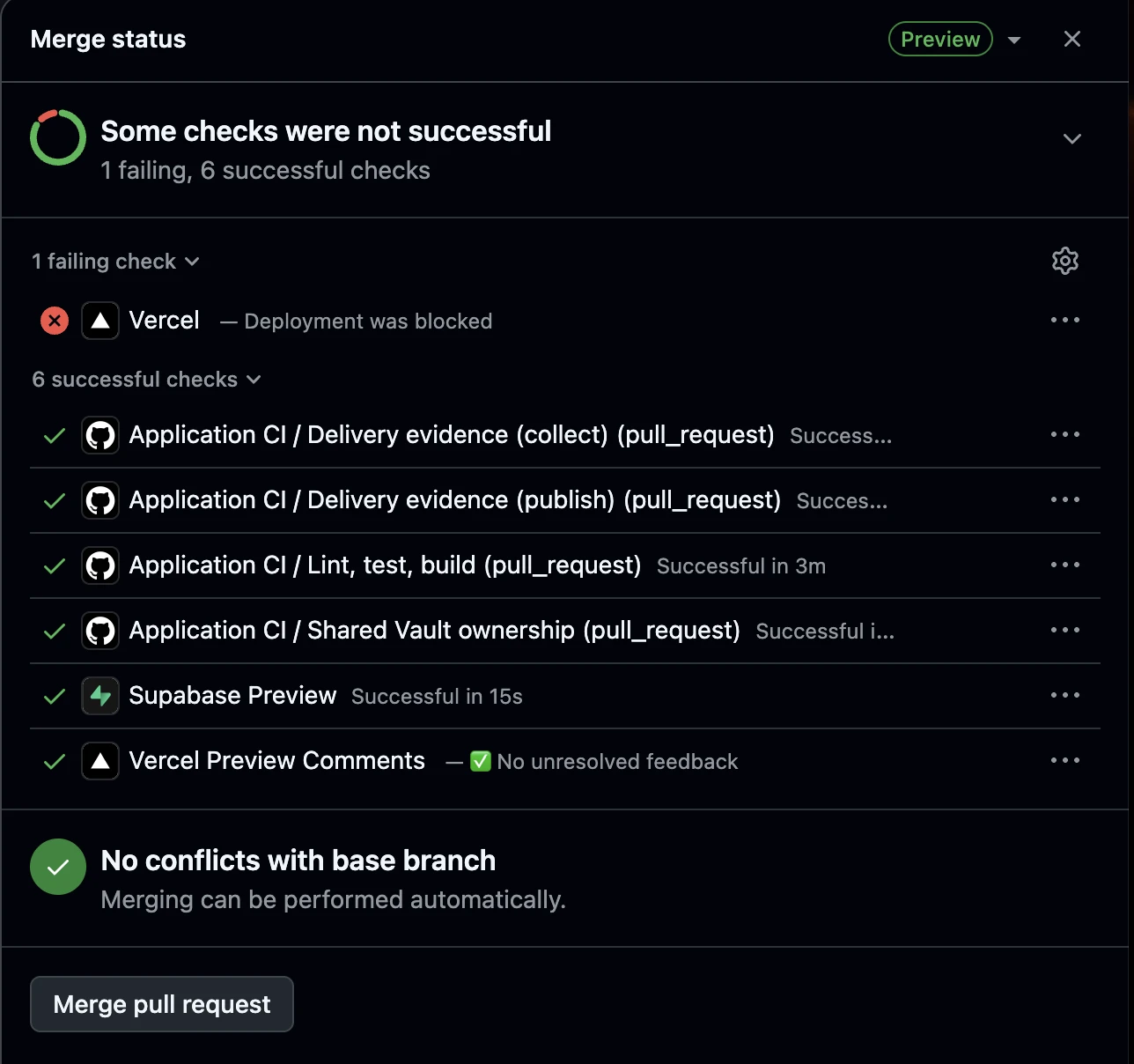
What a healthy pull request looks like. For a claude/* branch, the expected result is six passing checks and one expected Vercel failure, as shown above. These six checks should pass:
- Application CI / Delivery evidence (collect)
- Application CI / Delivery evidence (publish)
- Application CI / Lint, test, build
- Application CI / Shared Vault ownership
- Supabase Preview
- Vercel Preview Comments
The Vercel “Deployment was blocked” failure is expected. ConnectIQ uses Vercel’s Hobby plan, which allows private-repository deployments only for commits authored by the account owner. Commits from other contributors therefore trigger this failure. It does not indicate a build problem, affect staging or main deployments, or prevent the pull request from merging.
Any other failed check must be fixed before continuing. If Delivery evidence (collect) fails, check that the pull request body includes a Build Plan: line and that the referenced plan file exists on the branch.
Complete the required verification
Use the Build Plan’s definition of done to confirm that the required automated checks, database evidence and recovery rehearsal results are present. For affected user-facing or external-service behaviour, exercise the feature in a real browser, inspect relevant console and network results, and complete the required human walkthrough.
When the Build Plan asks for a Playwright test, run bun run test:e2e against the local application and local Supabase. Record the branch, commit, target, and passing and failing test names in the delivery report in the pull request body. Complete the manual browser checks and human walkthrough required by the plan as well. See Set up Playwright and check sign-in if this is your first run on the machine.
Use the branch’s verified disposable preview for database verification. Record results against the branch, commit and target that were actually checked.
Obtain independent delivery review
Give the independent reviewer the committed Build Plan, the branch and its Delivery Evidence. The reviewer checks that the named capabilities were delivered and that the evidence supports the claims. A person confirms business correctness.
Resolve blockers before merging. The builder’s own completion report does not replace independent review.
Merge with a merge commit
Once approved, merge the pull request to staging using a merge commit — never squash or rebase the merge itself. See Tripwires in the AI Development System for what checks that transition, and why it has to be a real merge commit.
Check the combined application on staging
After the feature merges, a person exercises the combined application on staging. Complete any required staging recovery rehearsal before release approval.
Release is a separate staging-to-main pull request approved by a person. Follow Deploy for that promotion.
Clean up
Delete your feature branch yourself after the pull request merges. The repository does not delete it for you: its “Automatically delete head branches” setting is off on purpose, because the head branch of a staging-to-main promotion is staging, and merging that with the setting on deletes staging (it happened on 2 October 2026).
On the merged pull request page, choose Delete branch, or ask Claude Code to delete it — pushes, including a branch deletion, come from Claude Code, not a terminal. Then remove your local copy with git branch -d <branch>, which refuses if the branch is not fully merged. Delete only a branch that is merged and has no open pull request. Never delete staging, main or shared-vault.
The Supabase preview usually goes with the branch, but the two do not always disappear together — check the Branches list after merging; an orphaned preview bills by the hour.
Squash or rebase would erase two things: the merge commit the staging/main promotion tripwire needs to verify the transition (Tripwires in the AI Development System), and the branch name — with its operator — recorded in the merge commit's subject, which is what survives once the branch is deleted.
You are ready for domain work when
- You have watched a guard refuse an unsafe action.
- You have completed one build from a committed Build Plan.
- You have gathered and reviewed its evidence.
- You have merged the pull request successfully.
Only then do you take a domain. An onboarding that ends with access granted and nothing exercised has proved that the invitations were sent, which is not the same claim.
Coordinate parallel work
Each independent writer needs its own branch and physical working tree. That includes another developer, another AI session or a delegated agent that can write. Two branch names do not provide isolation if both writers edit the same folder.
Declare the files your change will touch, merge current staging into your branch as needed, and re-run the relevant verification against the combined result. Changes to protected shared files also require Shared Vault ownership.
The procedures below explain working-tree isolation, scope declarations and integration with current staging.
A. Give every independent writer its own branch and working tree
DR-59Two independent writers must not modify the same working tree. That applies to another Claude session, a subagent you dispatch that can write, or another developer working locally alongside you on the same machine — it does not apply to two developers on separate machines, who already have separate physical checkouts.
A branch is a line of Git history. A working tree is the physical checkout — the folder containing the files being edited. A separate branch does not give you separate files if two writers are still editing the same checkout.
Ask before creating a worktree
Ask the person before creating any worktree. Never create one on your own initiative or as a silent side effect of another step. Saying that a worktree is needed is not asking permission. This applies to worktrees for the session and for writing subagents.
A session that did not close cleanly can leave a worktree and branch lock behind. Creating another can collide with that leftover state or produce a second tree for the same branch.
Before asking, run git worktree list and check for a leftover .git/index.lock. Show what already exists so the person can decide whether to reuse or clean up a leftover instead of creating another worktree. Finding a lock is not permission to delete it.
The worktree hook prompts for approval before git worktree add or EnterWorktree. It asks; it does not automatically refuse creation. See Ask before creating a worktree in the hooks reference for its coverage.
UNSAFE — same working tree

connectiq-system/
        ↑
   ┌────┴────┐
   │         │
Claude A  Claude B


SAFE — separate working trees

connectiq-system/              connectiq-system-b/
└── branch: claude/sky-feature-a       └── branch: claude/sky-feature-b
        ↑                                     ↑
    Claude A                              Claude B
A genuinely read-only delegated investigation is not another writer — it has no write capability, so it needs no worktree of its own. If you dispatch a subagent that writes, disclose it in the pull request body: that one was used, and for what. See Agents in the AI Development System for the runtime-subagent model and why the rule exists.
B. Declare the files your branch intends to change
Pull request ·intended-filesBefore you write code, list the files you intend to create or edit, and put that list in the pull request body in a fenced block headed intended-files, one path per line:
```intended-files
src/domains/inv_/components/AssetList.tsx
src/domains/inv_/api/assets.ts
```
Keep it current as the legitimate scope changes. If the work genuinely needs a file the list does not name, amend the declaration and say why — treat that as normal, not as bypassing a check. See Hooks in the AI Development System for how the pre-commit check itself works. It is not a "subagent guard" — it treats a change from the main Claude session, a subagent, a developer or another tool the same way.
Protected shared files, and how to acquire them, are covered in Shared files: lock for a pull request, release on merge.
C. When staging moves, merge it into your branch
DR-60 · never rebase published historyConnectIQ treats published branch history as immutable, and your branch is published from its first commit — the pull request opens when the branch is cut. If origin/staging has advanced since:
origin/stagingNever rebase it.
Against the combined state.
Merging preserves the commits already pushed and reviewed, while still letting you test the feature against current staging. This is not "rebase is forbidden everywhere" — it is specifically that a published branch's history does not get rewritten, and ConnectIQ publishes branches early, so merge is the normal way to pick up staging.
If your branch touches migrations
A branch that changes anything under supabase/migrations/ is not review-ready until the combined migration sequence — your branch's migrations plus current staging's — applies cleanly from empty. This runs as part of review-delivery, when you invoke it — not continuously, and not in CI.
- If
origin/staginghas moved since your branch was cut, merge it in first — the same sequence as above. review-deliverythen runs the combined reset for you and reportspass,FAIL, orBLOCKED(missing current staging — merge it in and run it again).- If
stagingadvances again after apass, that result is no longer current — re-run the check rather than citing the earlier one.
Don't treat supabase db reset as a ritual disconnected from this: it is what the gate actually runs, via bun run check:migration-gate inside review-delivery's own GUARDS step.
Know the limits of the safeguards
Local hooks depend on setup
Git hooks protect a checkout only when they are installed and configured. Confirm the hook setup during onboarding; do not assume cloning the repository was sufficient.
Claude Code hooks cover Claude Code actions
The protected-file hook checks Claude Code’s edits. It does not stop a person editing the same file in another editor. The pull-request ownership check can report that violation, but is advisory under the current repository configuration. See Shared files: lock for a pull request, release on merge.
Claude Code hooks do not see a push made outside the session
Claude Code’s hooks do not see a push made outside its session. The push-only-from-Claude-Code rule is a written requirement; those hooks cannot enforce it against another tool.
Git hooks and GitHub checks have separate triggers. An outside push bypasses Claude Code’s session checks, but it does not inherently bypass every Git hook or GitHub check. Those other checks do not establish that the push came from Claude Code.
Some checks detect a problem after it happens
Promotion tripwires inspect transitions after a push reaches GitHub. They make a violation visible; they cannot undo or prevent the push.
A failed safeguard needs a resolution
Understand and fix the cause. Do not skip hooks, rewrite published history or weaken a check merely to get work accepted. If the documented procedure is wrong, report the problem so the procedure can be corrected.
Shared files: lock for a pull request, release on merge
Some files affect the whole project. Shared Vault lets one feature branch reserve the protected files it needs, with the lock recorded against that branch’s pull request. It does not store the files or change their permanent domain ownership.
- Create the branch and PR
- Declare the files
- Acquire the locks
- Build
- Merge and release
The branch and pull request must exist before files can be locked. Creating them does not lock anything by itself: the lock begins when Shared Vault acquisition succeeds with human approval.
Once acquired, the files stay reserved for that PR throughout building and review, even if you close your AI session or continue on another machine. When the PR merges or closes, its locks end and another PR can acquire those files.
Only the requested protected files are reserved. Other branches can keep working on different files.
Nothing locked Branch A will update the project instructions. Its pull request is open, but no files are locked yet.
Locked PR A declares CLAUDE.md and acquires its lock with human approval. Claude Code can now edit that file on branch A.
Refused PR B also requests CLAUDE.md. Shared Vault refuses because PR A already holds the lock. PR B must coordinate with PR A’s owner before proceeding.
Both proceed PR B instead requests style-kit/tokens.json and acquires it with human approval. Both branches can now work in parallel, each holding a different file.
Lock ended PR A merges into staging. Its lock on CLAUDE.md ends, making the file available for another PR to acquire. PR B keeps its own lock until PR B merges or closes.
The lock follows the PR’s lifecycle. Finishing an edit or ending a session does not release it.
Before you edit
- Declare the files. List each protected path in both the
intended-filesandshared-vaultblocks in your pull request description. - Acquire ownership. Run
bun run vault:acquire. A person approves the acquisition. If another open pull request owns any requested file, the entire request is refused and the message identifies the owner. - Build and review. After acquisition, Claude Code can edit the files owned by your pull request. Confirm that the Shared Vault ownership check passes before merging.
Different pull requests can own different protected files at the same time. Ownership ends when the pull request merges or closes. You do not run a manual release command; a later acquisition replaces the stale ownership record.
If a file is unavailable
Run bun run vault:status to see who owns it. Coordinate with that pull request's owner before proceeding. If ownership cannot be verified, stop and resolve the connection or sign-in problem.
Which files are protected?
| Protected path | Why changes need coordination |
|---|---|
supabase/config.toml | Shared Supabase configuration can affect environments beyond one feature. |
CLAUDE.md | Building sessions read these project instructions. |
style-kit/tokens.json | Shared design values affect interfaces across the application. |
style-kit/DESIGN.md | Shared design guidance defines how those interfaces should be built. |
src/components/data-table/ | The shared data-table implementation is used across features. |
src/components/ui/table.tsx | This table primitive supports the shared implementation. |
Other shared files still require coordination, but are not all covered by Shared Vault. See Other shared infrastructure changes for those requirements.
What the safeguard covers
Claude Code blocks its own protected-file edits without verified ownership. Manual edits in another editor are not blocked. The pull-request check reports ownership violations, but does not prevent merging: do not merge while that check is failing.
Where the lock record lives
Lock records are kept on a separate branch of this repository named shared-vault. This is deliberate, and Shared Vault cannot work without it. The branch is an orphan: it shares no history with the application code and holds a single file, vault.json, which says which open pull request owns which protected file.
The record is not an ordinary file in staging because of how git works:
- Every branch has its own copy of a file. A record kept in the code would differ from branch to branch, so one pull request could not see another’s lock.
- A lock has to be recorded the moment it is acquired, before anything is edited. Going through a pull request would defeat the purpose.
- Two people acquiring at once must not both win. Each acquisition is one commit pushed without force, built on the tip the writer just read. GitHub accepts only one of two writers that read the same tip; the other is rejected, re-reads and tries again. A whole request is a single commit, so it succeeds entirely or not at all.
Keeping it on its own branch also keeps lock bookkeeping out of the code’s history and out of feature merges. It is also why the branch looks “unmerged” in a branch list: it is not supposed to be merged.
shared-vault
It is the only copy of who owns what. If it is deleted, every Shared Vault command and the edit guard refuse to work, and the Shared Vault ownership check fails. The repository has no branch rules, so nothing prevents a deletion or a force-push; every reader instead checks the history (its first commit must match a pinned value and every change must be a legal transition) and refuses if anything looks wrong. This is detection, not prevention. Rebuilding it needs a maintainer to re-run vault:init and update the pinned first commit, and the ownership history is lost. Leave it in the branch list.
Maintainer recovery procedures
Use this reference when an ownership record is stuck or the system needs administrative recovery. These procedures require human approval and a recorded reason; they are not the normal response to a file being owned by another open pull request.
- A person can clear a stuck record with
vault:emergency-release. - A person can return everyone to the old approval prompt with
vault:mode -- warn. - Both need a written reason and leave the history intact.
Sources and history
These references explain the ideas, decisions and earlier approaches behind our current development process.
Anthropic — The AI-native SDLC playbookplaybook
A reference for AI-assisted work across planning, design, building, testing, deployment and maintenance. ConnectIQ adapts its emphasis on committed artifacts, checks throughout the work and human accountability to our own operating process.
Read the playbook: https://claude.com/blog/the-ai-native-sdlc-playbook
Sources
Where this came from
Supabase — branchingdocs
Preview and persistent branches, the Pro-plan requirement, seeding, and why no production data is copied.
supabase.com/docs/guides/deployment/branchingSupabase — branching usagepricing
US$0.01344 per hour on Micro compute, no fixed fee per branch, and the fact that compute credits do not offset branching.
supabase.com/docs/guides/platform/manage-your-usage/branchingSupabase — custom SMTPdocs
Why the built-in sender is capped at two an hour and cannot be used in production.
supabase.com/docs/guides/auth/auth-smtpResend — managing domainsdocs
The MX, SPF, DKIM and DMARC records, the send. subdomain pattern, and the 72-hour verification window.
Google Workspace — SMTP relaydocs
The limits and intended use case that ruled it out for application mail.
knowledge.workspace.google.com — SMTP relayPricing and limits verified July 2026. Usage-based figures move; re-check before committing a budget.
Strategy History
Strategy History brings together the significant choices that shaped ConnectIQ’s architecture and development approach: what we chose, why we chose it and the tradeoffs we accepted.
It includes accepted decisions that still apply and superseded decisions retained to explain earlier approaches. A decision does not become obsolete simply because it appears here.
Use the current architecture, strategy and operating guides for today’s rules. Use these records to understand their reasoning and how they changed.
Decisions about a particular build belong with that Build Plan. Their migration into plans will be handled separately from this documentation update.
Reading the records
Each decision has a permanent ID. Read its recorded outcome and any replacement links to understand whether it still applies. An older “closed” label means the question was resolved; it does not, by itself, establish that the decision remains current.
The record explains the choice and its reasoning. Delivery evidence establishes what was implemented. These are different facts.
When an accepted choice changes, preserve the earlier reasoning and link it to the replacement decision. Update the current architecture, strategy or operating guidance as well.
Record locations during the transition
The links below lead to the authoritative strategy records. Some remain on their original pages because existing collection and review tools read them there.
Strategy History provides their common entry point. Physical relocation will be completed when the supporting tools can follow the new locations safely.
| ID | Decision | Recorded outcome | Authoritative record |
|---|---|---|---|
| ADR-01 | Modular monolith with bounded contexts, not services | Superseded by the architecture | Phase 1 delivery plan |
| ADR-02 | Postgres with RLS is the permission model | — | Phase 1 delivery plan |
| ADR-05 | Schema changes are migrations in the repository | — | Phase 1 delivery plan |
| ADR-06 | No permanent staging environment | Superseded by ADR-07 | Phase 1 delivery plan |
| ADR-07 | Three tiers, including a persistent staging environment | Closed · Supersedes ADR-06 | This page |
| ADR-08 | Vercel for the application, managed Supabase for the database | Closed · Closes DR-28 · Partially revised by ADR-11 | This page |
| ADR-09 | Generated browser tests per epic, hand-written tests for the numbers | Closed · Revises the plan’s testing stance · Reopened by ADR-13 | This page |
| ADR-10 | Resend for both send paths, from connectiq.giant-pumpkin.com | Closed · Closes the email row | This page |
| ADR-11 | Persistent staging runs as a Vercel Preview deployment | Closed · Revises ADR-08 | This page |
| ADR-12 | Lovable moves off the production project before the first real user | Closed · Fires at the point of no return | This page |
| ADR-13 | Claude Code builds the rest of M2; Lovable stays re-enterable | Closed · Reopens ADR-09 · Browser tests answered by ADR-17 | This page |
| ADR-15 | A shared file is owned by one open pull request at a time, through one central compare-and-swap record | Closed · Replaces the shared-file warning | This page |
| ADR-16 | Separate strategy decisions from plan decisions | Closed · Sets two decision homes | This page |
| ADR-17 | Browser tests are Playwright tests run on demand, not in CI | Closed · Answers the browser-test question ADR-13 reopened | This page |
| ADR-18 | New developers verify Playwright during setup | Closed · Extends ADR-17 to onboarding | This page |
| ADR-19 | One fixed-string exception lets the command guard list previews | Closed · Amends the no-read-only-exception rule | This page |
| ADR-20 | A Build Plan lives in the repository its work changes | Closed · Replaces the “Where plans live” rule | This page |
| ADR-21 | A Build Plan may be handed over inside one Claude Code session | Open · Excepts “Put the mechanism where it belongs” · Closes after one real plan runs through /build-plan | This page |
| DR-38 | Who owns the seed file, and how complete does it have to be? | Closed | This page |
| DR-39 | What is the migration rehearsal environment? | Closed | This page |
| DR-59 | Every independent writer gets its own branch and working tree | Closed | This page |
| DR-60 | Merge staging into your branch; never rebase published history | Closed | This page |
Earlier approaches and archives
Earlier approaches, incidents and decisions that explain how the current system developed. Historical descriptions are preserved for context; use the current strategy and operating guides for today's workflow.
- Origin of the AI Development System, written after M2.
- Lovable archive, how Lovable was used before 10 September 2026.
Decisions and open questions
ADR records explain decisions and their tradeoffs; DR records track questions and their resolution. Existing codes are shared with the delivery plan. Expand a title to read the record or copy its direct link. Historical decisions retain their original reasoning; the current guidance above records later changes. The strategy-based records here are indexed in Strategy History.
ADR-07 · Three tiers, including a persistent staging environment Closed
Decision — development (a preview branch per feature), staging (persistent, viewable), production (main, Vercel). No fourth environment: the migration rehearses in production before anyone uses it — see §03.
Beat — development and production only, which is what ADR-06 chose.
Because — ADR-06's reasoning was that "a staging environment that nobody keeps populated becomes a source of false confidence and a second thing to maintain". Two things changed. Supabase branching makes the environment cheap and reproducible rather than a hand-tended server, and a seed file makes "nobody keeps it populated" a solved problem rather than a habit. More importantly, a code-generating assistant produces whole features at once, and there has to be somewhere those can be seen and exercised before they reach production.
Cost — roughly ten dollars a month for the always-on staging branch, plus the discipline of deleting preview branches. And ADR-06's warning has not stopped being true: if staging is allowed to go stale, it becomes exactly the false confidence it warned about.
ADR-08 · Vercel for the application, managed Supabase for the database Closed
Decision — the production branch connects to Vercel and nothing else does. The database is managed Supabase on the Pro plan. The droplet keeps the documentation site.
Beat — self-hosting the application and database on the existing droplet.
Because — development speed, branch previews, and a devops surface small enough for two people. Self-hosting is cheaper in cash and considerably more expensive in attention. Pro is not a preference: branching for preview environments requires it, so the environment model in ADR-07 depends on this decision.
Cost — a platform bill, and vendor coupling to two managed services. Also the serverless runtime constraint survives: no native binaries, no child processes, no long-lived connections, which still limits what the quote print view and the import module can use.
Partially revised by ADR-11. "The production branch connects to Vercel and nothing else does" is no longer accurate — staging now also carries a standing Vercel Preview deployment, once M1's server-side infrastructure needs a target no developer session is driving. The rest of this decision stands: Vercel and managed Supabase are still the choice, and ADR-11 changes deployment topology, not the hosting provider.
ADR-09 · Generated browser tests per epic, hand-written tests for the numbers Closed
Decision — Lovable's browser, frontend and backend testing run across every epic. Money maths, the per-location multiplication, permission resolution, import mapping and idempotency are written and owned by us.
Beat — no broad end-to-end suite at all, which is what the delivery plan chose.
Because — the original reasoning was that the maintenance cost of a broad suite outruns its value at this team size. That is a statement about hand-written tests. When the suite is generated and regenerated by the same tool that writes the feature, the maintenance cost is no longer the developer's, and the trade flips.
Cost — generated tests can be confidently wrong, and a suite nobody wrote is a suite nobody fully understands. Hence ADR-09’s original division, since reopened by ADR-13 (see testing history): generated tests prove the application still works, hand-written tests prove the numbers are right, and only the second kind blocks a merge on its own.
ADR-10 · Resend for both send paths, from connectiq.giant-pumpkin.com Closed
Decision — Resend. SMTP credentials configured as Supabase custom SMTP for auth email; the HTTP API used by the queue worker for application email. Sending domain connectiq.giant-pumpkin.com, from notifications@. API key in Supabase secrets.
Beat — the Google Workspace account we already pay for, and Postmark.
Because — Vercel has no email service, so a provider was required either way. Workspace is positioned for personal correspondence and on-premise relay, cannot supply a suppression list, unsubscribe handling or bounce webhooks, and would put application mail on the same domain reputation as the team's real email. Against Postmark the deciding factor is first-party integration on all three sides of this stack — Lovable, Supabase and Resend each document the others — plus React Email templates that live in the repo under the same tokens as the rest of the UI.
Cost — nothing in phase 1. A second vendor in the chain, a deliverability reputation that has to be built from zero on a new subdomain, and a hard cap of 100 messages a day on the free tier that a batch operation could reach in one action. The paid tier removes the cap at $20/month.
ADR-11 · Persistent staging runs as a Vercel Preview deployment Closed
Decision — staging gets a standing Vercel Preview runtime tied to the persistent staging branch, connected only to the persistent Supabase staging database, never production. main remains the sole Vercel Production deployment. Feature branches continue on Lovable plus a Supabase preview branch as the normal development path; a standing Vercel deployment is not required for every feature branch. Server-side staging infrastructure — the scheduled worker, provider webhooks, future integration callbacks — targets this persistent staging runtime.
Beat — viewing staging through Lovable alone, with no runtime of its own, which is what ADR-07 and ADR-08 assumed was enough.
Because — M1 introduces server-side routes that must be reachable independently of a developer or Lovable session: the scheduled worker, pg_cron/pg_net HTTP invocation, application email queue processing, the Resend webhook, and future integration callbacks. Those need a stable HTTP target, and exercising them only locally would leave the persistent staging database and a persistent application runtime untested together — the whole point of a standing staging tier. Vercel Preview supplies that without a second hosting platform: this changes deployment topology, not the hosting choice ADR-08 already made, and ADR-08's choice of Vercel and managed Supabase stands.
Cost — staging now has Vercel environment configuration of its own to maintain, and staging/production secrets must stay separated — a staging deployment must never point at the production Supabase project. Deployment and runtime health becomes part of the staging promotion gate, alongside the existing QA pass.
ADR-12 · Lovable moves off the production project before the first real user Closed
Decision — Lovable builds against the production project for the whole of the development phase, and moves to a dedicated development project before the point of no return. The trigger is the one §03 already defines: the first real user action, not a milestone and not a date. Until then the project named production is a development database that will be called production later, and an assistant creating tables in it is correct rather than reckless. After that line, an assistant writing schema and rows into the live system is not acceptable at any price.
Beat — the persistent staging project, which was decided on 4 September and turns out not to exist as a thing Lovable can select: staging is a Supabase branch of the production project, and Lovable's connection picker lists projects. The decision was published before anyone checked that its target was selectable. Also beaten: pointing Lovable at each feature branch's ephemeral preview, which fails on the same one-project-to-one-project constraint.
Because — Lovable executes approved migrations on whichever Supabase project it is connected to; its documentation says so, and the ledgers prove it. Production carried M2's four view migrations under Lovable's generated UUID names where every other environment carried our file names, while M2 had not merged to main. The tracked .env cannot be used to redirect it either: .env is a file Lovable owns and regenerates from the connected project, and a pin to a branch preview reverted within two days, silently. So the connection is the only lever, and it must move before the database it points at starts holding anything real.
Because it can wait, and should — the risk being priced is damage to live data and to a system people depend on. Neither exists yet: §03 already treats production as spare and wipeable until the first real user action, and the record it holds today is company data with no real people in it. Moving early buys nothing and costs the walkthrough — Lovable's preview reads the connected project, so a development project that is not the one the schema lives in is a preview that errors. Moving late, after the line, would mean an assistant with write access to the live system. The line, not the calendar, is the trigger.
Cost — a fourth Supabase project at about $10 a month, since the Pro plan's included compute credit is already spent on production. It needs the repository's migrations applied, a seed, and a reconnect in Lovable — More → Cloud, disconnect, then connect the new project, declining any offer to recreate schema. Until it exists, two disciplines carry the weight: every migration lands as a committed file (ADR-05), so production and the repository can be reconciled at each merge to main rather than assumed to agree; and the ensure_rls event trigger — which production has had since before M2, having originated there outside the migration flow — is declared in the repository rather than assumed, so every environment enforces the same invariant and the ledger and the database agree.
ADR-13 · Claude Code builds the rest of M2; Lovable stays re-enterable Closed
Decision — the remaining M2 work is built by Claude Code against the repository, not by Lovable. Lovable is not removed: every file it generates stays where it is, the directory layout it expects is unchanged, and prompts remain the written interface, so a session can rejoin at any point without a migration. This is a trial, not a divorce — prompt 3 is comparable in size to prompt 2, so it yields a like-for-like read on pace and quality, and M3's builder is decided on that evidence rather than on one bad week.
Beat — continuing with Lovable, which is the status quo and costs nothing to keep; and removing Lovable outright, deleting its generated files and its connection. The second was rejected because re-entry is worth more than tidiness: the generated files are inert once nothing imports them, and keeping them costs nothing but disk.
Because — the generator and the repository want different things, and the generator wins silently. the Lovable archive lists ten files Lovable rewrites whole from its Supabase connection. One of them, src/integrations/supabase/client.ts, was rewritten on 5 September from an environment lookup to literal production credentials; bun dev, Vercel staging and Vercel production all silently addressed the production database, and it stayed hidden for four days because every test passed and the symptom surfaced as a seeded account that would not sign in. In the same period, three Lovable deliveries required four remediation prompts. None of that is a judgement on the code it writes — the DR-55 verification logic is good, and its unit_reference solution was better than the one specified. It is a judgement on what a generator does to a repository that has invariants of its own. And nothing remaining in M2 needs generation: two tables, their policies, a timeline component and a loader fix.
Cost — ADR-09's trade reopens, and this is the real price. A broad end-to-end suite was declined on the explicit reasoning that Lovable generates and maintains it: generated tests prove the application still works, hand-written tests prove the numbers are right, and only the second blocks a merge. With nobody generating the first kind, that half is unmaintained, and the choice is to write it, to narrow it deliberately, or to accept less coverage — but not to inherit it silently. Lovable's preview also stops being a place to show work in progress; staging's standing Vercel runtime (ADR-11) already covers that, at the cost of a merge rather than a click. ADR-12 is unaffected: it fires at the point of no return, and it fires whether or not Lovable is building at the time.
Browser-test half answered by ADR-17. The choice this decision left open for the browser suite — write it, narrow it, or accept less coverage — is answered by narrowing it deliberately: committed Playwright tests run on demand, not in CI. See ADR-17.
ADR-15 · A shared file is owned by one open pull request at a time, through one central compare-and-swap record Closed
Decision — the files the shared-file guard protects (PROTECTED_FILES in scripts/check-shared-file-edit.ts, the only list) are owned by one open pull request at a time. Ownership lives in one place: an orphan branch, shared-vault, in the application repository, holding one vault.json and changed only by a non-forced push built on the branch's current tip. Of two simultaneous acquisitions of the same file exactly one is accepted, and a request for several files is one write, so it succeeds whole or not at all. A pull request declares the files it needs in a fenced shared-vault block in its body; one explicit acquisition, approved by a person, establishes ownership. The edit guard then lets the owning pull request edit without a prompt, refuses every other one by naming the file, the owning pull request and its branch, and refuses when ownership cannot be verified. Ownership ends when the pull request is no longer open: there is no release workflow, and a record left by a merged or closed pull request is replaced by the next acquisition in the same write. A manual release, which names the file, the previous owner and a reason, exists for recovery and leaves the prior ownership in the history. A central mode switch, enforce by default, can be set to warn only by a recorded change carrying a person's reason; warn restores today's approval prompt everywhere at once.
Beat — keeping the approval prompt alone, which asks whether an edit was coordinated but never records who owns the file; labels, issues, comments and repository variables, none of which offers a documented compare-and-set, and variables would need a long-lived token for CI; one ref per file, which is atomic but erases its own record on release and needs API tokens for every write; Git LFS locks, whose owner is a GitHub user when every developer is currently one account; a shared database table, which would make a named project reachable from a build session (against the rule that no named project is reachable from a build session); and a release workflow on the pull-request close event, because the only trigger a pull request's own code cannot alter runs from main, which trails staging by weeks.
Because — two pull requests could each decide on their own that they may edit CLAUDE.md, and nothing durable said which one owned it. The guarantee rests on git's fast-forward rule, enforced by GitHub on every non-forced push, so it depends neither on timing nor on any one machine. In a local prototype, 125 simultaneous races for one free file each produced exactly one owner, and a request for two files while one was already owned left the requester owning neither; the same proof is repeated against GitHub before the edit guard changes.
Cost — this repository has no rulesets, so a force-push, a deletion or a hand-made commit on shared-vault by anyone with write access cannot be prevented; it is detected, because every reader checks the history's root, its fast-forward continuity and the legality of each change, and refuses when they fail. The edit guard sees only Claude's own edits: a shell or hand edit to a shared file surfaces as a failing check on the pull request, which is advisory because staging is not protected. Editing a shared file through Claude now needs GitHub reachable and the GitHub CLI signed in; a session without them cannot. The guard's earlier "warn, do not refuse" stance is reversed.
ADR-16 · Separate strategy decisions from plan decisions Closed
Decision: Strategy-based decisions belong in Strategy History in ConnectIQ Docs. Plan-based decisions belong inside their owning Build Plans.
Reason: Enduring architecture and development choices need a discoverable home across builds. Build-specific decisions should remain with the agreement they change.
Alternative considered: A central register containing both categories. This would separate build-specific reasoning from its owning plan.
Implementation: Adopt the documentation explanation and Strategy History entry point first. Update Build Plan templates, migrate plan records and adapt collection and review in a separate build. Preserve existing authoritative records and compatibility until that work is complete.
Recorded · 2 October 2026 · the migration of plan records, the template change and the collection and review changes are not yet delivered
ADR-17 · Browser tests are Playwright tests run on demand, not in CI Closed
Decision: Browser tests are committed Playwright tests in connectiq-system e2e/, run with bun run test:e2e against the local dev server and local Supabase. They run when a Build Plan's Definition of done asks for them, and the builder reports the run. CI does not run them. They start with one sign-in smoke test, and further tests are added by the plans that need them. Real-browser hand checks stay, for visual judgment, exploratory checks and real third-party services, using the built-in browser rather than the person's own Chrome.
Reason: ADR-13 left the browser suite open: write it, narrow it deliberately, or accept less coverage, but do not inherit it silently. This narrows it deliberately. A committed test can be re-run by a reviewer or the next build, where a hand check reaches the pull request only as the builder's description. Running only on request keeps the cost of maintaining tests in line with the value of the flows covered, at this team size.
Alternatives considered:
- Hand checks only, which is today's practice and leaves nothing re-runnable.
- A broad Playwright suite in CI on every pull request, which brings maintenance cost, flaky tests, CI minutes and seeded databases in CI.
- A CI job filtered by path or label, which adds the trigger machinery Plan 11 deliberately kept out.
Implementation: Plan 26. Delivered.
Recorded · 2 October 2026 · Sky · delivered by Plan 26 (merge commit 54ad75b)
ADR-18 · New developers verify Playwright during setup Closed
Decision: A developer setting up a machine to join the build installs the Playwright Chromium browser and runs bun run test:e2e once, as a step in 4.2. The run must finish without failed tests, and the sign-in smoke test must pass, before the developer starts feature work. After setup, Playwright runs during feature work only when a Build Plan asks for it, as ADR-17 says. This does not add Playwright to CI.
Reason: A broken Playwright setup should be found during setup, not in the middle of a build whose Definition of done depends on it. The first run also checks that local Supabase, the seed accounts and the dev server work together in a real browser. It costs one browser install and one short run per machine.
Alternatives considered:
- Install the browser on first use, when a Build Plan first asks for a test. Setup failures then appear during feature work.
- Run the suite in CI instead. ADR-17 already rejected this.
Implementation: Plan 29. Delivered.
Recorded · 3 October 2026 · Sky · delivered by Plan 29
ADR-19 · One fixed-string exception lets the command guard list previews Closed
Decision: check-command-target.ts allows a command that names the production ref only when the whole command is exactly supabase [--experimental] branches list --project-ref <production> -o json (or --output json). The tokens are in that order, separated by single spaces, and the command matches ^[A-Za-z0-9 ._=-]+$, which excludes every shell metacharacter. The staging ref, the --project-ref= form, any other branches verb, another output format, an extra flag and a bunx, npx or path-qualified supabase are still refused. The script exits 0 and writes one stderr line saying the exception applied.
Reason: A person running an evidence harness against a pull request's Supabase preview first has to find that preview, and previews are listed under the production parent, so discovery cannot avoid naming production. The output is branch metadata, not keys. The original rule rejected a read-only exception because deciding whether an arbitrary command writes is a guess. A fixed string involves no such judgement, so that objection does not apply to it. Every other command naming either ref is refused exactly as before, and the harnesses' own assertDisposableTarget is unchanged.
Alternatives considered:
- Pass the production ref through an environment variable or a linked project so the guard never sees it. That hides the ref from the guard, which is the bypass the guard exists to stop.
- Read the preview's keys with
branches get. It does not reveal secret keys, and it also emits the database password and the JWT secret, which is more than a harness needs. - Keep copying keys into
.env.harnessby hand. A stale exported ref has already beaten a freshly written file once.
Implementation: Plan 34, connectiq-system pull request 115, merged 6 October 2026. Delivered.
Recorded · 6 October 2026 · Sky · delivered by Plan 34
ADR-20 · A Build Plan lives in the repository its work changes Closed
Decision: A Build Plan is saved in the repository its work changes and labelled by that scope. Docs-only work is a Docs Plan in connectiq-docs/plans/, branched from and merged into master. Work that changes only connectiq-system is a System Plan, and work that changes both is a SystemDoc Plan; both live in connectiq-system/docs/plans/. Plan numbers run in one sequence across both repositories, and every branch a plan produces is named claude/<operator>-plan-NN-<short-name>.
Reason: Every plan used to live in connectiq-system, so a docs-only change needed a connectiq-system branch and pull request to hold its plan. That pull request created a Supabase preview and ran the full system CI for a change that touches no code, and two docs changes, or a docs change beside a system change, competed for one repository and one checkout. The register contract already accepts a docs-repository plan (docs:plans/NN-name.md), and connectiq-docs already runs a register check on every pull request into master.
Alternatives considered:
- Keep every plan in
connectiq-system. It keeps one location, but keeps the preview, CI and checkout cost for docs-only work. - Give each repository its own number sequence. “Plan 48” would then name two files.
- Build Delivery Evidence CI for
connectiq-docs. It is possible later and is outside this decision.
Consequences: Docs-only plans are not in the milestone collector’s plan inventory. It detects plan files only by FILE_DETECT_PREFIX = /^docs\/(?:plans|briefs)\// over connectiq-system commits, so a file in connectiq-docs/plans/ is not seen. Their register cards cite them with docs: instead. A connectiq-system commit message that names a plans/ path is still inventoried and resolved against the docs repository. The collector is unchanged.
Implementation: Plan 47: connectiq-system pull request 130, merge commit e3b4dae, and connectiq-docs pull request 83, merge commit 4145dc4, both merged 8 October 2026. Delivered.
Recorded · 8 October 2026 · Sky · delivered by SystemDoc Plan 47
ADR-21 · A Build Plan may be handed over inside one Claude Code session Open
Decision: A Build Plan may be handed over inside one Claude Code session.
- The planner runs on Opus in
connectiq-system. /build-planspawns a Sonnet builder subagent with its own fresh context.- The manual handover (a new Claude Code session and the plan’s file path) stays valid.
Questions follow the plan-change rule:
- the builder asks the planner through
ask_planner, and the planner answers only Execution questions; - a Design or Intent question stops the builder, and Sky decides;
- replies go to the builder through
SendMessage.
Review stays in a separate, fresh session. The mechanism, the plan-handover mod, is committed to connectiq-system/.claude/skills/plan-handover/ so that every clone has it. That is an exception to “Put the mechanism where it belongs”: this one piece of planning tooling lives in the application repository.
Reason:
- It removes the second session and the pasted path.
- The builder keeps a fresh Sonnet context, so the cost and cache reasons for “a fresh Sonnet session per build” still hold.
- Mid-build questions are answered from the conversation that wrote the plan, not re-derived.
- The repository is the one place every developer already has. The plugin also loads on Cowork and claude.ai planning seats, where the builder cannot run.
Alternatives considered:
- Keep the manual handover only.
- Put the mod in the
connectiq-planningplugin. This keeps the surface rule, but the plugin loads where the builder cannot run. - Switch model inside one session (
/model). This invalidates the prompt cache and mixes planning and building context.
Consequences:
- Planning for a plan handed over this way happens in Claude Code, not only in Claude work.
- The mod API is early access and may change between Claude Code releases. A Claude Code upgrade that breaks the mod breaks only the in-session path. The manual path is unaffected.
Implementation: SystemDoc Plan 56: connectiq-system pull request 135 and connectiq-docs pull request 93. Open until one real plan has been run through /build-plan; that plan is then named here as evidence.
Recorded · 10 October 2026 · Sky · SystemDoc Plan 56
DR-38 · Who owns the seed file, and how complete does it have to be? Closed
DR-38 · Who owns the seed file, and how complete does it have to be? ClosedDecided: two artifacts, not one. seed.sql is synthetic, committed to the repo, created in M1 and grown by whoever builds each milestone — it must always carry enough to open the screens that milestone builds. Staging's data is a separate thing entirely: a copy of production, unmodified, set once and then allowed to drift. It is not scrubbed, because everyone with access to staging already reads the same records in HubSpot and Airtable — see staging data access for the expiry condition on that.
Full policy and the reasoning in Preview databases and staging data. One consequence to plan for: production does not exist until M7, so staging is populated from a scrubbed HubSpot export during the build — the same export the import work needs anyway.
Closed · see Environments and branching
DR-39 · What is the migration rehearsal environment? Closed
DR-39 · What is the migration rehearsal environment? ClosedDecided: there isn't one. The migration rehearses in production. Until the parallel run begins, production is empty and unused — the most accurate possible target, at no extra cost, with the real permission model and RLS policies that a copy only approximates.
It holds on one line. Wipe-and-retry is allowed until the point of no return — the first real user action, not a date. After that production can never be wiped again. Back up before every attempt, disable outbound email during runs, and keep the original gate: two clean runs and a rep confirming their own accounts. Full conditions in §03.
The parallel run then is the probation period, with HubSpot still readable as the fallback.
Closed · see §03
Plan decisions awaiting migration
These records concern delivery plans and remain authoritative here during the transition.
The agreed destination is Decision register inside each record’s owning Build Plan. A separate build will verify those plan relationships, move the records and update collection and review. Existing IDs, evidence and links will be preserved.
DR-40 · Does the system email customers, or only staff? Open
DR-40 · Does the system email customers, or only staff? OpenThe delivery plan currently says three things that cannot all be true. Its scope section lists "transactional email — quote approval requests and user invitations only", both internal. Its deferred list defers "send-from-CRM". But M5's third wizard step composes a message to the customer and enforces that the recipient contact has an email address, with a fallback to download the PDF and mark it sent by hand.
Assumed: staff only in phase 1 — the quote step produces a compose link and an outbound record, and the human sends it from their own mailbox.
This does not change the provider. Resend sends to external recipients on any tier once the domain is verified, and a quote to a named contact expecting it is transactional. What changes is the work around it:
- Bounce and complaint handling stops being hygiene. The suppression webhook becomes load-bearing — external recipients hard-bounce and mark as spam in ways staff never will.
- DMARC should tighten from
p=noneto quarantine or reject, once a few weeks of real traffic have been observed. - The 100-a-day free cap starts mattering. The renewal flow generates one quote per company from a selected set of subscriptions — batch that across thirty accounts and email each, and a third of the daily allowance goes in a single action.
- Complaint rate becomes a number someone looks at rather than a field nobody reads.
Needs · Sky + sales · before M5 builds step three
DR-59 · Does every independent writer get its own branch and working tree? Closed
DR-59 · Does every independent writer get its own branch and working tree? ClosedDecided: yes. Two independent writers must not modify the same working tree. That applies to another Claude session, a subagent that can write, or another developer working locally alongside you on the same machine. It does not apply to two developers on separate machines, who already have separate physical checkouts.
A branch is a line of Git history. A working tree is the physical checkout, the folder containing the files being edited. A separate branch does not give you separate files if two writers are still editing the same checkout; only a separate working tree does.
Ask the person before creating any worktree. Never create one on your own initiative or as a silent side effect of another step. A genuinely read-only delegated investigation is not another writer, because it has no write capability, so it needs no worktree of its own.
The working rule is in 4.5 A.
Closed · card added 6 October 2026 · the original decider and decision date are not recorded
DR-60 · When staging moves, is it merged into the branch or rebased onto it? Closed
DR-60 · When staging moves, is it merged into the branch or rebased onto it? ClosedDecided: merge it, and never rebase published history. Published branch history is immutable, and a branch is published from its first commit, because the pull request opens when the branch is cut. If origin/staging has advanced since: fetch current origin/staging, merge it into your feature branch, resolve any conflicts, and re-run review and verification against the combined state.
Merging preserves the commits already pushed and reviewed, while still letting you test the feature against current staging. This is not "rebase is forbidden everywhere": it is specifically that a published branch's history does not get rewritten.
The working rule is in 4.5 C.
Closed · card added 6 October 2026 · the original decider and decision date are not recorded
Origin of the AI system
History · Origin of the AI Development System: guards that run before the mistake, not review that catches it after
Historical record, written after M2. It describes the position at that time, not the current workflow. The current system is described in the AI Development System.
Added after M2, which shipped a correct shared data table and took far longer than the code warranted. Almost none of that time went into building; it went into establishing what was true — which branch, which database, whether a passing test was testing anything. Every one of those is a question a printed line could have answered.
The individual errors are not worth recording; six shapes are, because each recurred at least twice. Production as the silent default, six times over. Done claimed from one signal — an ACL that looked clean while the advisor disagreed, a line count reported instead of a diff. Tests that pass for the wrong reason. Delivery quietly narrower than the prompt. The tree tested drifting from the tree under test. And traps created while avoiding traps. Each incident is written up in full under memory/; what follows is what now catches them.
What existed then
Most of this was not new. Five documents already carried these rules, and the useful question was not what to add but which of them owned each rule — a rule with two homes drifts, and a rule with three has already drifted.
Already thin, and already doing the right job: it routes, and states that code conflicting with these documents must be surfaced rather than silently changed. The one gap is context — it never says what ConnectIQ is or who uses it, so every session reconstructs that from the code.
The file for other agents. CLAUDE.md is authoritative for Claude Code, and AGENTS.md says so in its first lines. It still carries the branch and environment rules.
No longer the rules file. It now carries scope, milestones, the quality bar and the decision-register context. The rules were split out by trigger, so migration rules arrive when a migration is open and design-token rules arrive when a component is — see Rules.
The canonical record of security invariants, and the file this section's memory layer is really about. At 604 lines it is read by heading, which means most of it is not read.
The design system carries its own set, including a second file named LOVABLE_PROJECT_KNOWLEDGE.md. The app copy has since been renamed PROJECT_KNOWLEDGE.md, so the two no longer share a name.
"Never push directly to main or staging; open the pull request when the branch is cut" appeared in AGENTS.md, again in CLAUDE.md, and again in PROJECT_KNOWLEDGE.md. Three copies of a rule meant changing it required finding all three, and the one that was missed kept teaching the old version.
This is the same defect we made Lovable fix in the cl_ views — the duplicate-exclusion predicate written three times instead of once — applied to our own documentation. One rule, one home. AGENTS.md holds it, because it is the file every tool reads; the other two reference it.
The thing that decides pass or fail lives in the repository as a runnable script. Agent configuration may invoke it; it may never be it. This governs everything below, because a guard that exists only inside one tool stops existing the moment anyone uses another.
Three things quietly stop being true when a check lives only in .claude/. A tool swap removes it silently — open the repository in another assistant and the hook is simply absent, nothing errors, and the rule stops applying without anyone being told. CI cannot run it, so it can never become a merge gate; it can only nag one person on one machine. And it cannot be tested — supabase-environments.test.ts reads config.toml itself so the module and the config cannot drift apart, and no equivalent test can be written against a pattern buried in a settings file.
Every guard that has held so far follows this without being told to: supabase-environments.ts, check-dev-target.ts, check-single-table.ts and check-migration-rls.ts are plain scripts reached through package.json. That is why they behave identically in Lovable's container, in a developer's terminal and in CI — none of them cares which tool is driving. The production-ref hook was nearly written the other way, as a pattern match inside the hook itself, which would have left it working for exactly one person.
The test for any guard: if this repository is opened in a different tool tomorrow, does it still fire? If not, the logic is in the wrong file. The cost of getting it right is one extra file — a script, plus a thin wrapper that calls it.
What was proposed
Hooks · build first · new
- Scripts that block an action before it runs. We have no GitHub organisation account, so rulesets are unavailable — hooks are the only enforcement that does not depend on somebody remembering.
- Refuse any command carrying the production project ref unless it is a read. One rule against the pattern that has cost the most.
- Refuse pushes to
mainorstagingfrom an agent session. Built ascheck-branch-push-target.ts. - Refuse writes to the generated Supabase types file, and
supabase db pushwithout--project-ref. - At the time nothing existed — the app repository had no
.claude/directory at all.
Skills · build first · new
- The checks and tests we already repeat, written down once. Each of these ran three or more times in M2 and was reconstructed from memory every time, which is where the inconsistency came from.
run-evidence-harness— confirm the branch and commit first, then run, then confirm the banner names a preview. The branch check is the step that was missing twice.cut-branch-open-pr— cut, seed commit, open the pull request immediately, confirm the preview exists.review-delivery— split since Build Plan 10: CI gathers deterministic delivery facts (banned-import grep, boundary audit, migration checks, and more) automatically, built in the repository; the independent judging half performs the capability-list diff and the claims check against those facts, from the planning surface.write-build-plan— the house format for a Build Plan. It lives on the planning surface, not in this repository — see the Claude Code workflow. The names these two skills had before are in Archive 7.
Agents · new
- Specialist reviewers that read the files and return findings rather than files. The judgement work stays out of the main conversation.
- Delivery reviewer — given a pull request and the prompt it was built from, returns what is missing. This is the check that found inline edit unbuilt.
- Migration reviewer — policies in the same file,
with checkon both writes, grants, timestamp ordering. - Reserve them for judgement. Grep for facts, a graph for relationships, an agent for judgement — most of M2's verification questions were grep questions sent somewhere expensive.
- A code knowledge graph earns exactly one job: the domain-boundary audit, where a grep gives false negatives. By M7 there are eight prefixes and that rule is the architecture.
Memory · split what exists
- One mistake, one file, so it is never repeated.
SECURITY_MEMORY.mdalready held this and had reached 604 lines, at which point it was skimmed by heading rather than read.- Split into
memory/: what happened, how it was found, the invariant now, the guard that enforces it — plus an index of one line each. - The six patterns above are the first six files. Their content is already written; it needs separating, not authoring.
CLAUDE.md · extend what exists
- Context — what we are building. Always loaded, so about one screen.
- The file existed at 16 lines and already routed correctly to
AGENTS.md, the project knowledge and the security memory. - What was missing was the context itself: what ConnectIQ is, who uses it, that phase 1 replaces HubSpot, the eleven domain prefixes, and the three environments with which are disposable.
- Do not move rules into it. It points; it does not restate.
Rules · reorganise, do not add
- Rules that only load when they apply.
- Done at the time. The split produced
supabase/migrations/CLAUDE.md,src/domains/CLAUDE.mdand.claude/rules/design-tokens.md— see Rules and Architecture. - Migrations under
supabase/migrations; domain boundaries undersrc/domains; design tokens for components. - Splitting is also the moment to resolve the duplication above: each rule ends up with one home and the others link to it.
Decisions · one column missing
- Already logged in the decision register on the Phase 1 page. Nothing here proposes a second one.
- The register recorded what was decided; nothing recorded what was delivered.
- DR-55 was closed, specified in full in a prompt, and never built. Nothing caught it for four days.
- Add a delivered state, and a check at milestone close that every DR marked for that milestone is one or the other, deliberately.
Where the work happens
- Verification runs where the files and the network already are — on the developer machine, reporting conclusions rather than moving files.
- Git writes go the same way. An agent shell without the developer's identity cannot commit, and a failed git write there leaves lock files it has no permission to remove.
Of the verification questions M2 actually asked, most were grep and git questions routed through an expensive channel. The routing rule matters more than the tooling.
A code knowledge graph is adopted for one job: the domain-boundary audit. "No cl_ file reads a com_ table" and "no nested select crosses a prefix" are import and call edges, where a grep produces false negatives. That check grows in value every milestone — by M7 there are eight prefixes and the cross-prefix rule is the architecture.
It is not a general replacement for reading files, and a graph is a cache: on a repository rewritten several times a day, a stale one answers confidently from yesterday's code. Re-indexing belongs inside the review skill, never in anyone's memory.
None of these guards carries a bypass flag or an override variable, and that is deliberate. assertDisposableTarget and check-dev-target both fail closed: approving a target means naming that exact ref. A guard with an escape hatch is a guard that will be escaped the first time someone is in a hurry, which is the same moment it was written for.
Why Lovable to Claude
History · Why the build moved from Lovable to Claude
Lovable was the right choice when it was made, and it stopped being the right choice. It was picked because it was a known-good web-app builder — Sky and Sebastian had both used it before and got good results from it. Nothing about that judgement was wrong. Claude has since caught up and, for the kind of full production build ConnectIQ is, passed it.
The case for moving, stated plainly rather than as a grievance:
- Browser testing happens directly. A walkthrough can be driven in Chrome through the browser extension, in the same session that wrote the code — rather than described in a report and taken on trust.
- Supabase branching is fully usable. A preview database per pull request, seeded, disposable, and classified by
supabase-environments.ts. Lovable's connector binds to one project and regenerates against it, which is what the Lovable archive is about. - The git repository is chosen, not inherited. More stability, and no build tool with opinions about which branch it is on.
- Full control of the code, with no plumbing layer. No generated files that are rewritten wholesale and cannot be edited — the class of defect the Lovable archive documents and that ADR-13 ends.
- It scales to more than one developer. That is the forward-looking reason and the one that matters most: the working model below is a written Build Plan, a branch, a pull request and a walkthrough, which is how a team works. A chat window with a build tool is not.
In a way we outgrew it. Recorded as ADR-13, 10 September 2026, which also reopened ADR-09's trade: generated tests were declined on the reasoning that Lovable maintained them, and with nobody generating them that half is now unmaintained and has to be written, narrowed deliberately, or accepted as less coverage — but not inherited silently.
History · Incident notes behind the rules
The incidents that shaped the safeguards above, moved here so the component descriptions stay short.
- Decided but not delivered. A decision had been closed and specified in a build prompt but was not implemented, and that omission remained invisible for four days. The decision records now treat decided and delivered as different claims and require evidence for the latter (Decision records).
- The generated attacher.
src/integrations/supabase/auth-attacher.tsis generated, still imports the production-frozen client, and is allowed to exist. What broke authentication wassrc/start.tsregistering that file as the bearer-token attacher instead of the ownedsrc/lib/auth-attacher.ts: the middleware asked a client hardwired to production for a session belonging to a preview, found none, attached no token, and every server function answeredUnauthorized: No authorization header provided. The defect only appeared when the environment was configured correctly, so an invariant written about file existence would have been green throughout. - A check without a trigger.
check-generated-clientsexisted for a milestone before its trigger did.ci.ymlmaintained its own list of guards parallel to the one inpackage.json, and the two had diverged: CI named three of the five checks and ran neithercheck:single-tablenorcheck:generated-clients. Replacing the hand-maintained list with a singlecheck:architecturestep closed that, and the attacher assertion then reached CI with no change toci.ymlat all. A check that depends on someone remembering to run it is not fully enforced. - Tripwires that only looked at the tip. Both promotion tripwires used to inspect only the new head, so a push carrying several commits could hide a direct-push commit beneath an otherwise valid-looking merge. Brief G5 closed the bigger asymmetry first, where a direct push to
stagingwas caught by no check at all; the first-parent-equals-previous-tip requirement closed the remaining blind spot, reproduced locally, watched failing on the exact exploit, then watched passing live on a scratch branch before merging. - A read-only subagent that wrote. On 16 September, a subagent briefed for read-only work edited the same working tree as the main session. The change was caught by observation, not by an automated check. That incident established the isolation rule: independent writers do not share a working tree.
- Path-triggered rules, verified. Reading a migration file, a domain file and a
.tsxfile in the same session that created the rule files showed nothing injected, so the rule split shipped in draft rather than reported done. A fresh session then read all three and got a clean before and after, with the full matching file injected as a system reminder after each read. The design-token rule also corrected a stale 13px base density to 14px, whichstyle-kit/DESIGN.mdmoved in version 1.1. - Stale instructions that were still followed.
CLAUDE.mdgrew past the one screen it was scoped at; trimming it is deferred until the trigger-loaded rules exist to receive what comes out. The README was still the scaffold the repository was generated from, including an instruction to push tomain, which this project’s own rules forbid..env.exampleled with “point at a preview database” when the recorded development target is local Supabase.LOVABLE_PROJECT_KNOWLEDGE.mdwas misnamed rather than stale and becamePROJECT_KNOWLEDGE.md. - Memory that was read by heading.
SECURITY_MEMORY.mdwas long and read by heading rather than in full, so most of it was not read at all. Incident narratives moved tomemory/, one file each, and the rules stayed. The “seven recurring patterns” the page once named had never been listed on disk; the count traced back to this page.
Lovable (archive)
Lovable (archive): Lovable, as it was used, kept for history and for re-entry
Lovable is no longer the builder. ConnectIQ moved from Lovable to Claude Code on 10 September 2026 (ADR-13). Nothing in this section describes the current process. It is kept for history, and because ADR-13 keeps Lovable re-enterable. Where this section and the rest of the page disagree, the rest of the page is right.
The guards that remain in force are recorded in Technical decisions and constraints; this section keeps their origin.
The files Lovable generates, and why none of them may be trusted
One word for it, used consistently: generated. Not plumbing, not scaffold, not templates. Six files in this repository say so themselves — // This file is automatically generated. Do not edit it directly. — and four more behave the same way without saying it. Calling them generated keeps the important property in view: they are not documents with content, they are projections of one fact, which is the Supabase project Lovable is connected to. When that fact is re-derived, the file is written whole. Nothing is merged, because from the generator's side there was never anything in the file that did not come from the connection.
On 5 September 2026, a “Connect to Supabase project” action in Lovable rewrote src/integrations/supabase/client.ts from an environment lookup to literal production credentials. Every runtime followed it: bun dev, the Vercel staging deployment and the Vercel production deployment all read and wrote the production database. .env.local, Vercel's environment variables and check-dev-target.ts were all correct, and all ignored — the target was compiled in. It surfaced four days later as a seeded account that would not sign in, because the account existed in the preview database and the application was asking production.
The ten files, and what each one costs when it is regenerated
| File | Declares itself generated | What a regeneration costs |
|---|---|---|
src/integrations/supabase/client.ts | Yes | Points the whole application at the connected project, ignoring every environment variable. The most damaging of the ten. |
src/integrations/supabase/client.server.ts | Yes | Nothing so far: it reads process.env at call time and is not frozen to a project. Watch it anyway. |
src/integrations/supabase/previewAuthStorage.ts | Yes | Nothing. It resolves to localStorage outside Lovable's preview zones, and sharing the editor session is behaviour we want. |
src/integrations/supabase/auth-attacher.ts, auth-middleware.ts | Yes | Not yet observed. Treated as generated regardless. |
src/integrations/supabase/types.ts | No | Regenerated against the connected project, so columns that exist only on a branch are absent. Harmless here because each domain declares its own row types. |
.env | No | Rewritten to the connected project. Overridden by .env.local locally and by Vercel's variables when deployed, so it is Lovable's file in practice. |
.env.example | No | Replaced our guidance block with a generated one. Documentation loss, not a runtime fault. |
supabase/config.toml | No | Truncated to a bare project_id. Loses [remotes.staging], so stagingRef() resolves to nothing and the guards stop refusing staging; loses [db.seed], so new preview branches come up unseeded. |
src/routeTree.gen.ts | Yes | TanStack Router's, not Lovable's. Listed so nobody mistakes it for one of these. |
Generated files are inputs to Lovable, not inputs to us. The application never depends on one; a check enforces it; and a generated file that has drifted is restored rather than argued with. Asking Lovable not to regenerate them does not work — prompt 1R4R2 told it explicitly not to touch types.ts, which it obeyed, while config.toml was stripped in the same delivery. An instruction in agent configuration is convenience; only a check that fails is enforcement.
What the repository did about it
- The application's browser client is
src/lib/supabase-client.ts, which resolves its target fromimport.meta.envwith aprocess.envfallback for the SSR path, and throws at boot if neither is set. Nothing else may import the generated client. scripts/check-generated-clients.tsfails the build if anything does — part ofcheck:architecture. This is not tidiness: Lovable scaffolds new files importing the generated client because that is its habit, and drift arrives as new code rather than as edits to old code.brokeredPreviewStorage()is deliberately reused from the generated module, so Lovable's own preview keeps sharing a login session with its editor. Lovable continues to work exactly as it does today, reading production through its own.env. That is the point: Lovable keeps full freedom over its ten files, and none of them can redirect the application.- Before every merge,
supabase/config.tomland.env.exampleare checked by eye. A regeneration deletes lines nobody else touched, which git merges cleanly — the one mechanism that would normally catch a gutted file is structurally incapable of seeing it. That is how the truncation returned once already, mid-push.
All of it, on the database side. Each pull request still gets an isolated Supabase project with the branch's migrations applied — that is where the evidence harness runs and where bun dev points. What the generator removed was never the branch; it was the application's ability to address one. Ten files, one of which mattered.
The approach — take the client away from the generator and resolve credentials from the environment per deployment — follows Adam Cameron, “Setting up dev/prod environments with Lovable and Supabase” (January 2026), and Supabase's own guide to environments, which advises keeping URLs and keys in the deployment platform rather than in generated code.
Archive 1 · Code generation, in the stack
Formerly in the Tech stack section.
| Layer | Decision | Confidence | Note |
|---|---|---|---|
| Code generation | Lovable, one project per domain, working inside a fixed folder structure | Settled | See Environments and branching, and the AI Development System. The structure exists before Lovable is asked to build into it. |
Archive 2 · Lovable's preview and the development database
Formerly in Environments and branching, the Development row.
Lovable's own preview does not read it — Lovable reads whichever project it is connected to, which is the production project until the point of no return; see ADR-12.
Archive 3 · Lovable projects
Formerly in Environments and branching, Lovable projects.
Lovable maps one project to one repository, strictly. A repository cannot be connected to two Lovable projects. Since ConnectIQ is one repository — one deployable, one Postgres separated by prefix — it follows that there is exactly one Lovable project, which supersedes the "DEV Project #1, DEV Project #2" arrangement in the earlier workflow note — that predates the single-repository decision and does not apply.
That is a constraint on projects, not on people. One project holds as many collaborators as it has seats, and several can work in it at once. What follows below is how they stay out of each other's way.
Lovable's active branch belongs to the project, not to the person. Switch it and everyone in that project switches with you. Several people can be in Lovable at once — it supports real-time multiplayer with visible cursors — but they are all on the same branch.
So the default for two people on two features is: one drives Lovable on their branch, the other works theirs in a normal editor. Both still merge to staging the same way. Lovable is the generation tool in this setup, not a per-person workspace.
And if two people are in Lovable on one branch together, divide by file rather than by intent — simultaneous prompts against the same component can overwrite each other.
Branch switching is a Labs feature — Settings → Account → Labs. Turn it on before M1 rather than discovering it is off.
And confirm by test that two-way sync behaves on a non-default branch. Lovable's branch switching is documented as syncing whichever branch is active, but at least one secondary source claims two-way sync only applies to the default branch. Those cannot both be true, and the whole promotion path assumes the first. Ten minutes on a throwaway branch settles it.
Git makes this a real distinction and it decides the architecture. A branch is a line of work inside the same repository, merged by a pull request within it — that is the model here. A fork is a separate copy of the repository, and under Lovable's one-to-one rule a fork would need its own Lovable project, which puts you straight back into two repositories, two package.json files and a deployable the architecture does not describe.
A branch per feature. Never a fork.
Lovable cannot import an existing GitHub or GitLab repository. The flow is Lovable project → Git repo, never existing repo → Lovable project. Do not treat it like a normal repo-first development environment.
This reorders M1. The delivery plan's first milestone opens with "repository, CI, and the three lint rules" — but the repository cannot be created first and then attached. The repo is born from the Lovable project, and CI, lint rules and the migration dry-run are added to it afterwards. Sequence M1 accordingly, or the first afternoon is spent discovering it.
Connecting a project creates the repository and starts a two-way sync automatically. Lovable syncs one active branch at a time, with branch switching and creation supported — and its own guidance warns to use branching carefully and not to delete a branch before switching back to main, because sync problems follow.
Archive 4 · Staging viewed from Lovable
Formerly in Environments and branching, Supabase branching.
Lovable is a route the source systems do not have. Staging is viewable from Lovable, so real customer records render inside a third-party tool. Looking at them is no different from looking at HubSpot — but pasting an error containing a customer's details into a prompt is, because that goes to a model. Not a reason to scrub; a reason to keep the distinction in mind.
Archive 5 · Lovable as a check stage, and its Publish button
Formerly in Hosting & CI/CD (now consolidated into Environments and branching and Test).
| Stage | What runs | Against | What only this stage sees |
|---|---|---|---|
| Lovable | lint, typecheck, test, build — the repository's own scripts, not a separate suite of Lovable's. |
Whatever the tracked .env resolves to, which is why the note on Lovable’s preview exists. |
Nothing another stage cannot. Its value is speed inside the build loop — a broken build is caught in seconds rather than after a push. Its limit is that it reports what it ran, not what it left out: the summary is written by the process that did the work. |
Lovable runs all four because it costs nothing extra: it happens inside generation, so a broken build is caught in seconds rather than after a push.
The developer machine runs one — bun run test. Its whole justification is that it is the only automated run not on Linux. In M2 that earned itself: a filename collision that Linux cannot see broke module resolution, and vitest on macOS resolves modules the same way the browser does, so it would have failed there before the branch was pushed. Running lint and build locally as well is not worth the minutes — they are OS-independent and CI does them.
CI runs all four because it is the gate. It cannot be skipped or forgotten, it attaches a record to the pull request, and it is the only run that starts from the repository and nothing else.
Four, then one, then four. Stated plainly because "run everything everywhere" is the version people quietly stop doing.
Lovable runs the repository's real scripts and a green result is real information — it is the fastest signal available and it catches most of what it is asked to. Two things sit outside what any single environment can report, and knowing which is which is what makes the later stages worth their minutes:
It runs on Linux. Every automated stage does. A defect that depends on a case-insensitive filesystem, a locale, or a path separator is invisible to all of them and appears on the first machine that differs — which in practice is the machine a person is using.
It summarises its own work. Silent narrowing does not announce itself: a capability dropped from the prompt, a test that passes because the feature it guards is absent, a generated file described by its line count rather than its diff. The counter is a capability-list diff — the prompt's named capabilities against what shipped, by name — which belongs to the review stage, not to Lovable. See Independent review.
Lovable can publish a project itself, and Vercel auto-deploys on every commit to main. Both work. Running both gives production two deployment paths, one of which bypasses the pull request, the QA gate and the promotion path entirely — and the two will disagree the first time someone is in a hurry.
Vercel is the deploy path. Lovable is the build environment. The Publish button is off the table from the moment the repository is connected.
Archive 6 · The knowledge file
Formerly in Guardrails.
The knowledge file is the project's brain. It is sent with every prompt, defines the context and the guardrails, and is what keeps Lovable working inside its own domain rather than editing centralised files in a repository it shares with someone else.
It can be generated from Plan mode with a T=0 prompt — "generate knowledge for my project at T=0 based on the features I've already implemented" — which resets the knowledge base to a new baseline by having the assistant analyse and document what currently exists. It freezes progress at a known state so development continues from there rather than from a stale description.
The architecture's appendix holds the binding rules — prefixes, cross-domain access, identifiers, the outbox. The delivery plan's 00-standing-context.md holds the paste block a session with no Knowledge panel receives. This page holds how the files are generated and kept current. And style-kit/LOVABLE_WORKSPACE_KNOWLEDGE.md and style-kit/LOVABLE_PROJECT_KNOWLEDGE.md hold the Lovable projection — the same rules in imperative form, split across Lovable's two Knowledge slots so a Lovable session carries them without a paste. Lovable caps each slot at 10,000 characters, which is why the projection is two files and not one, and why it is a compression rather than a copy. They must not drift: when a rule changes, it changes in the architecture first and the others are regenerated from it. A guardrail that says two different things in two files is worse than one that says nothing.
Archive 7 · The skills as first named
Formerly in Working practice, Skills.
review-lovable-delivery— capability-list diff, banned-import grep, boundary audit, migration checks.write-lovable-prompt— the house format that has worked.write-build-plan's former name —write-build-brief, until Build Plan 08 (CIQ SDLC V2) renamed the handoff.
Archive 8 · The development loop with Lovable building
Formerly in Development flow.
| # | Step | Why it is that way |
|---|---|---|
| 1 | Claude writes the prompt, in a new chat per feature | Context stays scoped to the feature. A chat that has carried three features has three features' worth of assumptions in it, and the fourth inherits them. |
| 2 | Branch cut, pull request opened immediately | The Supabase preview database is created when the pull request opens, not when the branch is cut. A branch without an open PR has no preview, and migrations pushed in that window fall through to the default branch — which is production. This has happened once, and the window was 8h23m. |
| 3 | Lovable builds | Lovable is the build environment. It is good at faithful execution and poor at reporting what it left out. |
| 4 | Claude reviews, writes a remediation prompt, Lovable builds again | Loop until clean. The review reads the artifact, not the summary: a capability-list diff against the prompt, the banned-import grep, the boundary audit, the migration checks. |
| 5 | Claude tests | The evidence harness against that branch's Supabase preview, with the banner confirming the target is classified preview before any result is believed. |
| 6 | Human tests | The walkthrough — the judgement pass no test replaces. Does the density read, does the empty state make sense, is the count legible where it sits. On the Vercel staging deployment or a local dev server against a preview. Never in Lovable: see Test. |
| 7 | Claude updates git and Supabase | Branch state, migrations applied, the security memory, and the decision register moved from decided to delivered. |
| 8 | At milestone close, merge to staging, then staging to main | Two pull requests, not one. The staging-to-main pull request is what produces the release preview described in Environments and branching — a deployment of exactly what is about to go live. |
Archive 9 · Lovable sources
Formerly in Sources.
Lovable — knowledge filesdocs
The knowledge file, what it is sent with, and generating one from Plan mode.
docs.lovable.dev/features/knowledgeLovable — connect to Resenddocs
The integration, and the rule that the API key is stored through Supabase rather than in Lovable.
docs.lovable.dev/integrations/resendStaging & production environments in Lovablewalkthrough
The promotion path end to end, as it ran with Lovable: branching from staging, the pull request into staging, the human QA pass, the release preview on the staging-to-main PR, and Vercel auto-deploying from main. Also the source for the working model in Environments and branching — several developers at once, feature by feature, none touching another's code.
youtube.com/watch?v=7m-gkwQwbKUTeam-based development in Lovablearticle
The project-per-domain isolation pattern this page is built on.
medium.com — Gabriel Morais